

The Real QMS Implementation Challenge
Have you ever heard complaints that an expensive QMS simply isn’t being used? The reason rarely comes down to a lack of features. This article breaks down why QMS implementations get ignored in the field, and the two structural failure points SI and solution providers can directly fix: system bypass and data fragmentation.
From the perspective of SI or solution providers, the success of a QMS project is often judged solely by the milestone of deployment complete. The system is delivered, and customer training is finished.
However, returning to the site a few months later reveals a different reality. Employees still manage documents via local Word and Excel files. SOPs are modified outside the controlled environment, and inconsistent versions circulate between departments. The system intended to enhance quality not only remains neglected but also ends up hindering operational efficiency. Why does a carefully built system end up as just another process the field ignores?
Common assumptions often link QMS implementation failure to functional gaps, resource limits, or business misalignment. In reality, barriers in organizational culture, collaboration, and operations create obstacles as formidable as any technical flaw.
These issues converge into one question: “How naturally does the implemented system connect with the actual workflow?” This remains one of the primary QMS implementation challenges, complicated by the fact that it does not always correlate with organizational size or maturity.
Why do specific formats create such powerful lock-in? The answer lies not in the visual appearance of the document but in how the data is defined and packaged internally.
When a system feels unintuitive, employees perceive it as additional “red tape.” Specifically, when new procedures disrupt existing work habits, users revert to familiar methods. Signs of bypass include circulating SOP approvals via email or referencing printed documents instead of using mobile devices. This is not merely a matter of individual will; it is a sign that the provided workflow does not align with reality.
Quality management is a cross-functional responsibility involving QA, QC, production, R&D, procurement, and sales. The problem arises when communication breaks down between independent departments. SOPs for the same process exist in different formats, leading to uncertainty regarding the latest version.
This fragmentation causes delays in root cause analysis during quality incidents and diffused accountability rather than shared ownership. It also breaks the audit trail, creating non-compliance risks during ISO 9001 audits.
In rigid environments, new systems are often viewed as top-down mandates. When employees feel a system monitors rather than assists them, resistance intensifies. As tasks move outside the system, internal data becomes obsolete.
Resistance to QMS implementation often starts at this point. Any attempt at improvement is then met with the sentiment: “Why change what is already working?” Consequently, the QMS becomes a compliance formality rather than a tool for quality improvement.
This leads to a natural question: To what extent can SI and solution providers intervene to ensure effective QMS adoption?
Stagnation and resistance are fundamentally issues of organizational culture. These arise not from software design, but from how an organization perceives change, requiring long-term commitment that no system can replace.
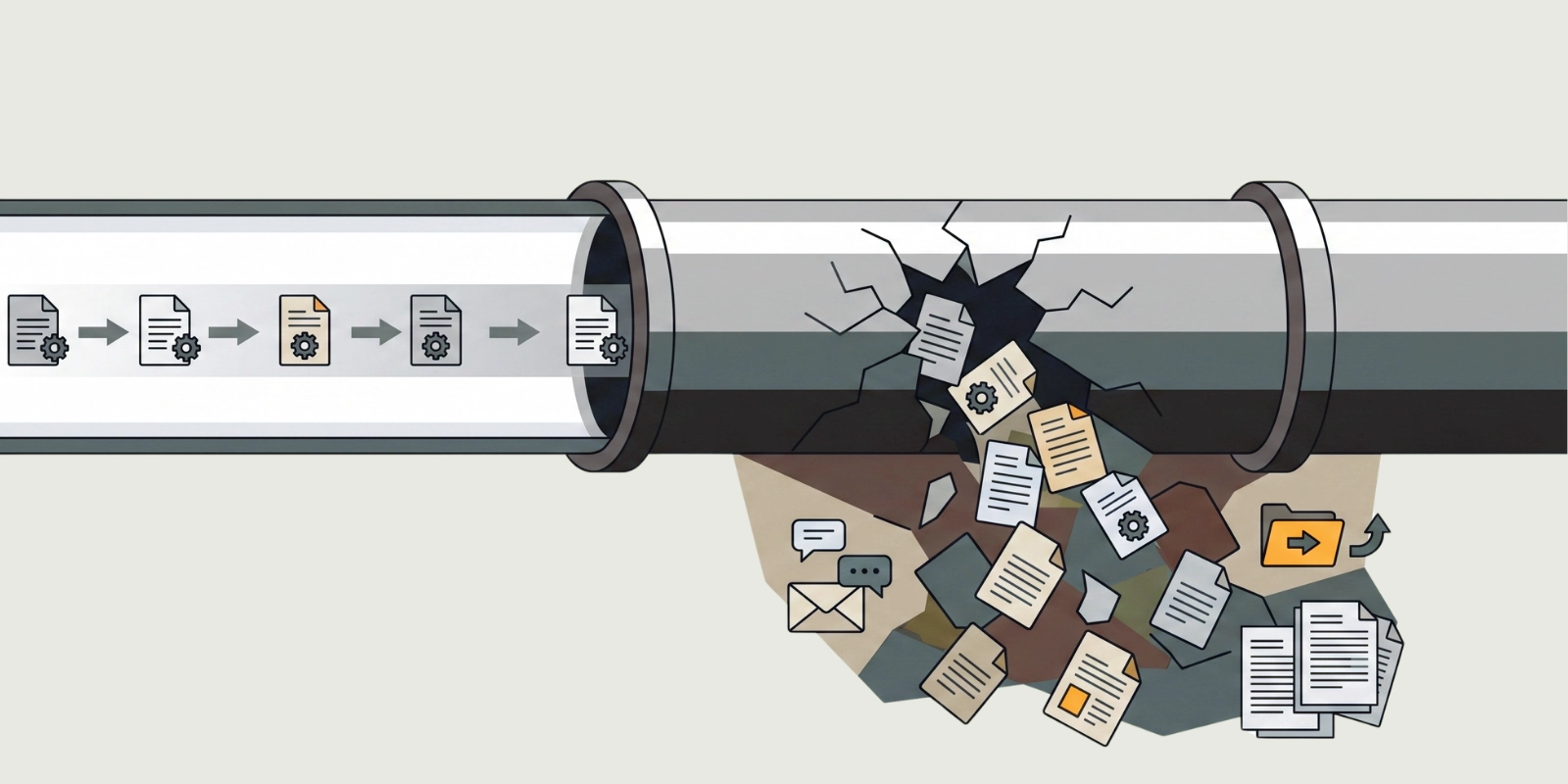
However, System bypass and fragmentation are different. These patterns are rooted in the structure of the system’s workflow. Employees bypass the system not due to a lack of will, but because working inside it is more difficult than working outside it. Data fragmentation happens because the system is designed to allow editing and saving externally.
Structural problems must be solved with structural solutions. And this is precisely where SI and solution providers can make a difference. Trace the root of both a system bypass and fragmentation far enough, and they converge at a single point: the moment a document leaves the system.
Every quality management task is document-intensive, from drafting SOPs to distributing work orders. Yet, most QMS platforms delegate the “editing” phase to external office tools.
The pattern is predictable: download the file, edit it locally, and re-upload.
The loop makes system bypass and fragmentation inevitable. Many cases of QMS implementation failure originate from this structural gap. This leads to a workplace where outdated printouts circulate instead of the latest SOPs. Furthermore, documents scrambled together just before an audit, and operations running on undocumented team knowledge rather than documented procedures.
This issue does not stem from a lack of functionality but rather a gap in design. Closing this gap is the most direct entry point to blocking both system bypass and fragmentation simultaneously.
If you cannot answer “yes” to all three, there is still room for intervention. We have prepared a detailed checklist to help you identify exactly where these gaps exist.
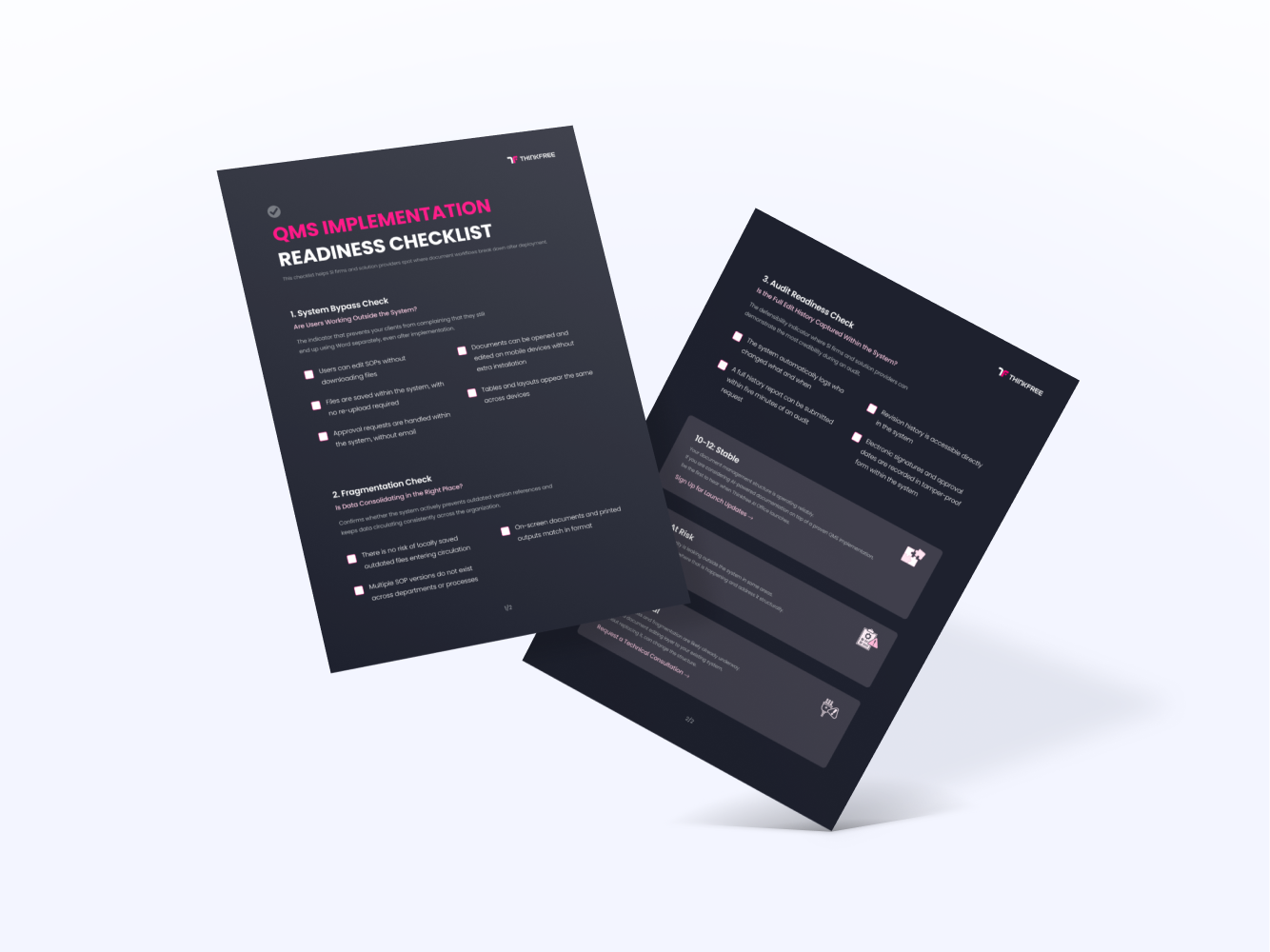
Thinkfree addresses QMS implementation challenges by improving the document layer through two specific solutions.
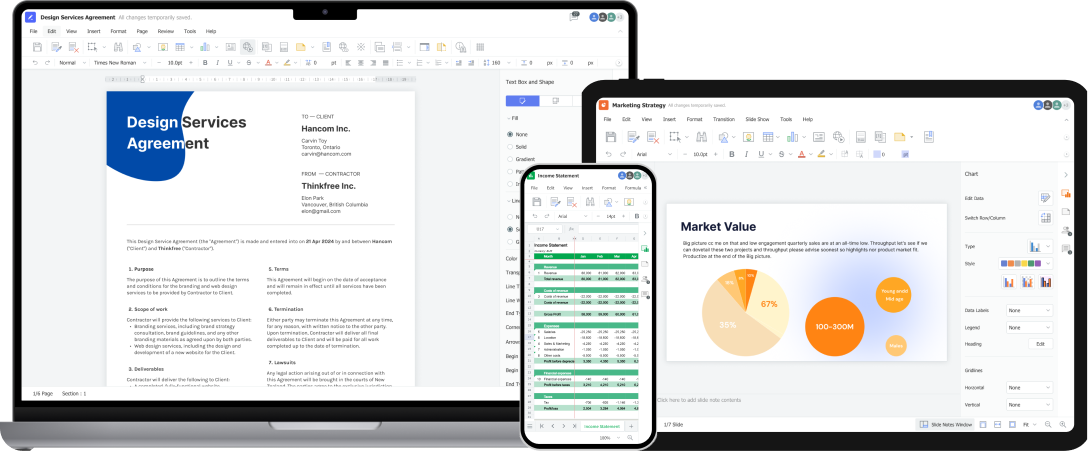
Thinkfree Office is now offered as Thinkfree Document Editor SDK for embedded document editing, object-level APIs, and AI agent integration.
Thinkfree Office is an enterprise web office layer that structurally prevents system bypass by improving the experience of opening and editing documents inside the system. Rather than forcing users to work around it, it makes working within the system the easier path.
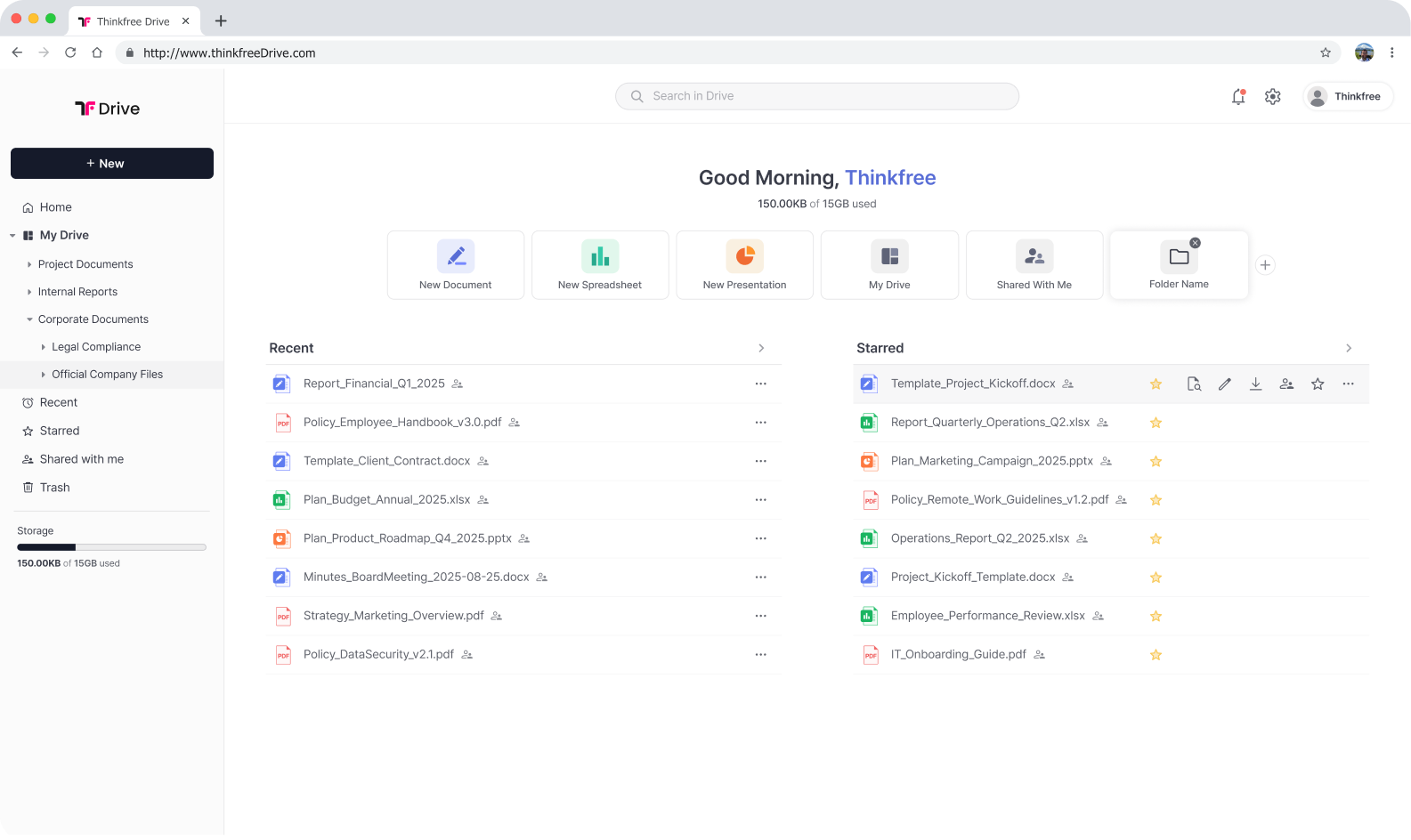
Thinkfree Drive is now offered as Thinkfree Document Management SDK for document versioning, permissions, metadata, search, locking, and lifecycle management.
When AI is integrated into a structure where system bypass and fragmentation are blocked, your solution’s positioning reaches a new level. In this framework, quality data derived from your system’s AI models is immediately converted into drafts in standard document formats, which managers can then refine and approve entirely within the system. This architecture is designed to be model-agnostic, allowing integration with any existing AI model, and functions seamlessly even in air-gapped or on-premises environments.
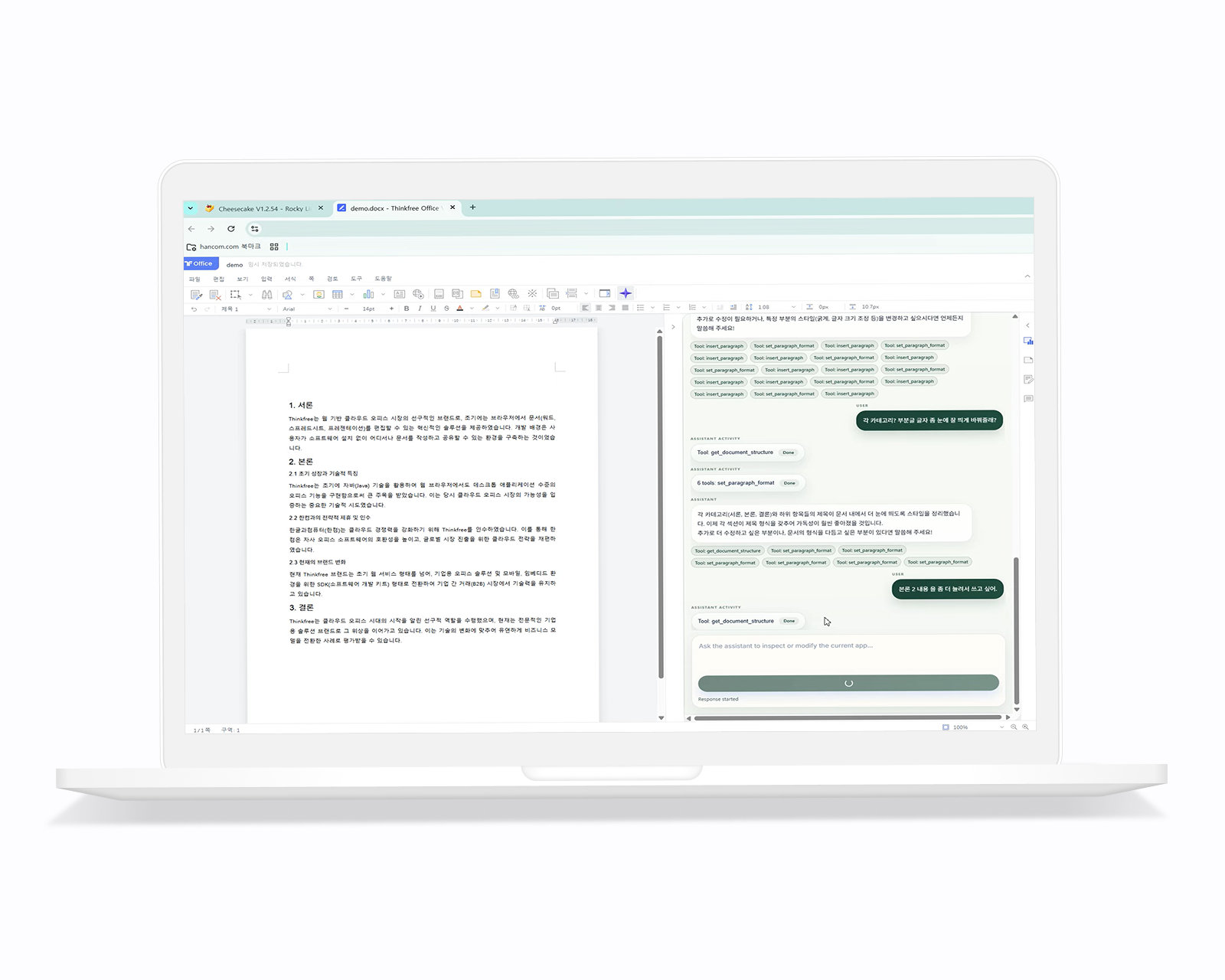
The design principles of Thinkfree Office and Drive have already been validated through numerous integrations as the online document editing and storage layer for various industrial web portals and software platforms.
These cases demonstrate Thinkfree’s proven track record: our products do not simply replace existing workflows but instead seamlessly layer on the essential experiences of storing, editing, and managing document data.
Successful QMS implementation is a monumental task where technical systems, organizational culture, and complex operational processes must align. While shifting a culture takes time, providing an environment where members can work conveniently within the system is a manageable structural design choice.
An environment where users do not have to leave the system to edit, and where documents remain consistent across any device, is the most practical first step in reducing resistance and preventing data fragmentation.
Address the controllable variables of QMS implementation failure by integrating a flexible document layer into your existing system to prevent bypass and fragmentation. We can discuss how Thinkfree fits into your QMS implementation architecture.
Like this post? Share with others!