
Thinkfree Office: Enterprise On-Premise Web Office SDK with AI Integration
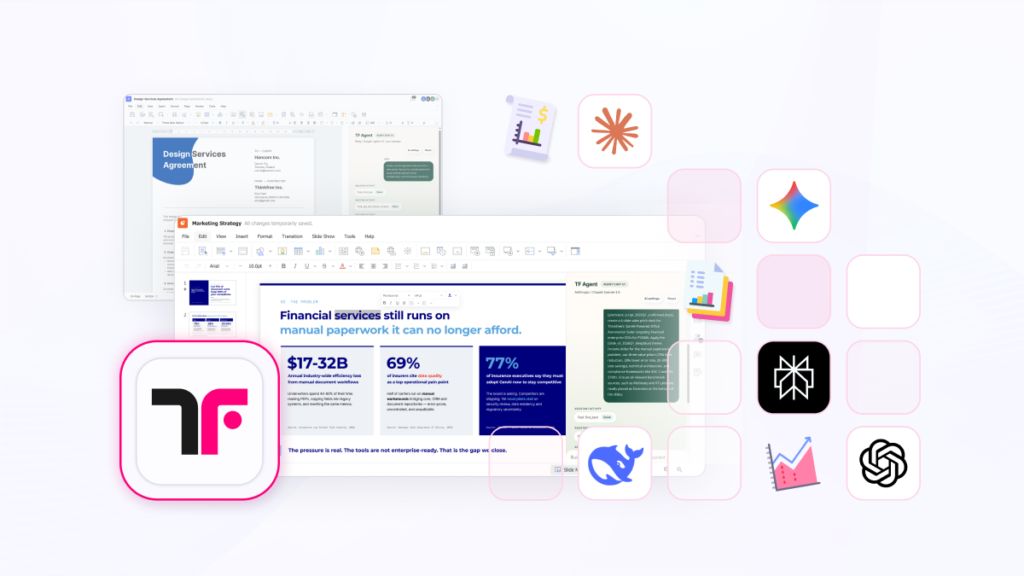
As enterprises adopt LLMs and sLLMs, users increasingly expect AI capabilities to work directly within the documents they create and edit. However, many AI tools generate content outside the document environment, forcing users to move between chat interfaces and document editors. Thinkfree Office is an AI-embedded online office suite for enterprises that enables organizations to deploy secure document editing environments across on-premise, private cloud, or hosted infrastructures. Through SDK-based integration, organizations can integrate document editing capabilities into their applications, connect their preferred AI models, and build AI-powered document workflows. This enables software vendors and enterprises to deliver AI-assisted document experiences while maintaining control over deployment, security, and governance requirements. Why Use a Web Office SDK for AI Document Processing? Unlike standalone AI tools, Thinkfree Office is a deployable enterprise office platform that brings AI integration capabilities directly into a full-featured document editing environment, allowing organizations to connect their preferred LLMs and sLLMs without building or maintaining a custom web office engine. It enables users to generate, edit, and refine documents through natural language commands directly within the editor. As a result, users can stay within a single workspace instead of switching between AI tools and document applications. Instead of generating isolated text outputs, Thinkfree Office enables users to create, edit, and manage structured documents within a web-based office environment. The experience fits naturally into existing business workflows. As a SDK, it can be integrated into a wide range of enterprise environments and deployed in multiple ways, including on-premise, private cloud, and hosted API. How Thinkfree Office Supports AI Document Processing? Thinkfree Office combines three core capabilities in a single platform: AI-assisted document generation and editing through natural language commands Web-Office based document creation and editing with preserved formatting SDK-based integration with enterprise systems and applications This allows organizations to implement AI-enabled document workflows without building or maintaining a proprietary web office engine or document editing environment. Why Building AI-Enabled Document Processing Systems Is Challenging? Many organizations consider building their own AI-powered document processing systems. In practice, however, these projects often involve higher development costs and operational burdens than expected. Development and Maintenance Costs Building an AI-enabled document platform requires far more than connecting an LLM to a user interface. Organizations often need document editing capabilities, rendering engines, format compatibility layers, security controls, and integration frameworks. Maintaining these components over time can significantly increase development costs and extend project timelines. Complexity of Document Format Processing While generating text with an LLM is relatively straightforward, preserving document fidelity across formats such as OOXML and ODF is far more complex. Supporting tables, images, styles, page layouts, and collaboration features requires significant engineering effort. It also requires ongoing maintenance. Vendor Lock-In Risks Organizations that depend on a single LLM may struggle to adapt to future model changes or pricing structures. To maintain long-term flexibility and cost efficiency, enterprises increasingly need architectures that support multiple LLMs and sLLMs. Disconnected User Experiences from Business Workflows Many AI services deliver output as plain text. Users must then move the generated content into a document and continue editing manually. This creates friction in everyday workflows and can reduce the practical value of AI adoption. Solutions such as Microsoft 365 Copilot provide powerful capabilities. However, organizations that need to embed AI document functionality into their own products or maintain direct control over infrastructure, deployment, and data governance may require a different approach. Learn More: Microsoft 365 Copilot Alternative for Enterprise Core Features for AI Document Processing and Editing Document Compatibility with OOXML and ODF Its native OOXML and ODF engine enables accurate document parsing and rendering. Thinkfree Office helps preserve document layouts and formatting across Microsoft Office and ODF-based environments. It supports formats such as .docx, .pptx, .xlsx, .odt, .odp, and .ods. This helps reduce development effort while minimizing formatting issues that can disrupt business workflows. LLM-Agnostic AI Integration Thinkfree Office is not tied to a specific AI vendor. Organizations can connect public LLMs from providers such as OpenAI, Anthropic, and Google, as well as private LLM and sLLM deployments within their own environments. This enables organizations to adopt new AI models, optimize costs, and maintain deployment flexibility without rebuilding their document platform whenever their AI strategy changes. AI-Assisted Document Editing Instead of producing plain-text responses, Thinkfree Office includes a built-in Chat UI that connects to enterprise LLMs and sLLMs, enabling AI-assisted editing within the editor. Users can draft, revise, summarize, compare, or restructure documents through natural language commands without leaving the editor or converting content between tools. This reduces context switching and helps users complete document tasks more efficiently within a familiar editing environment. Document Processing Workflows with AI Thinkfree Office enables organizations to build document processing workflows that combine enterprise LLMs and sLLMs with a full-featured web office environment. Instead of moving content between separate AI tools and document editors, users can create, review, compare, and approve documents within a single workspace. This reduces workflow fragmentation while preserving document formatting and governance requirements. Common document processing workflows include: Proposal and report drafting Contract review and document comparison Knowledge base documentation Policy and compliance document updates Customer communication and business correspondence Internal document review and approval processes By embedding AI capabilities directly into the document editing environment, organizations can streamline document processing while maintaining control over infrastructure, security, and deployment. Deployment Options and Enterprise Integration Because security, compliance, and operational requirements vary across organizations, Thinkfree AI Document Engine supports multiple deployment options. On-Premise: Suitable for organizations that need to keep sensitive data within their own environments. Private Cloud: Ideal for organizations that need both scalability and security. Hosted API: Designed for organizations that need rapid deployment and simple integration. In addition, organizations can embed the SDK into the following environments: Internal business systems and groupware platforms Customer-facing applications, SaaS Platforms AI applications that require editable document experiences Legacy systems requiring modern document workflows Build a Complete AI Document Processing Environment Thinkfree Office can be used as a standalone solution or combined with other Thinkfree platforms. Organizations can