
Thinkfree Drive, the enterprise self-hosted cloud storage solution with integrated online office editors and viewers, is now available in v1.4.0.
This release introduces multi-tenant support, allowing organizations to manage multiple customer organizations independently within a single Thinkfree Drive deployment. It also expands sign-in options and sharing controls, making it easier to deliver secure collaboration across organizations.
With v1.4.0, Thinkfree Drive is no longer limited to a single organization. This enables resellers, managed service providers (MSPs), and solution providers to serve multiple customer organizations more efficiently while maintaining clear separation of each organization’s users, data, and policies.
A single Thinkfree Drive deployment can now host multiple organizations (tenants). Each organization’s users, data, and settings remain isolated.
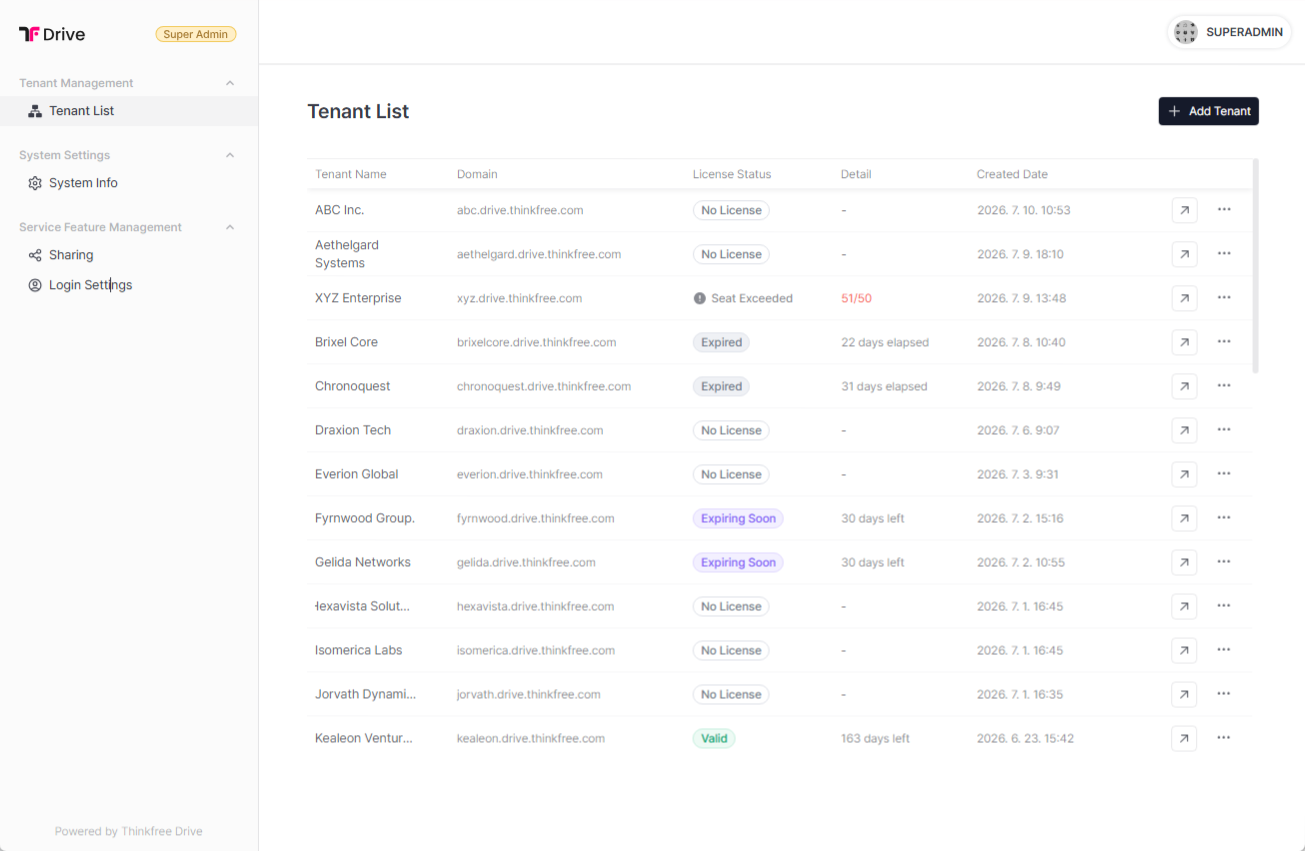
Organizations no longer need to deploy and maintain separate Thinkfree Drive instances for each customer organization. The new Super Admin role can create and configure organizations, while managing deployment-wide defaults such as sign-in and sharing policies. Super Admins can switch directly to any organization’s admin portal from the central dashboard without signing in again, providing one-click access across the deployment.
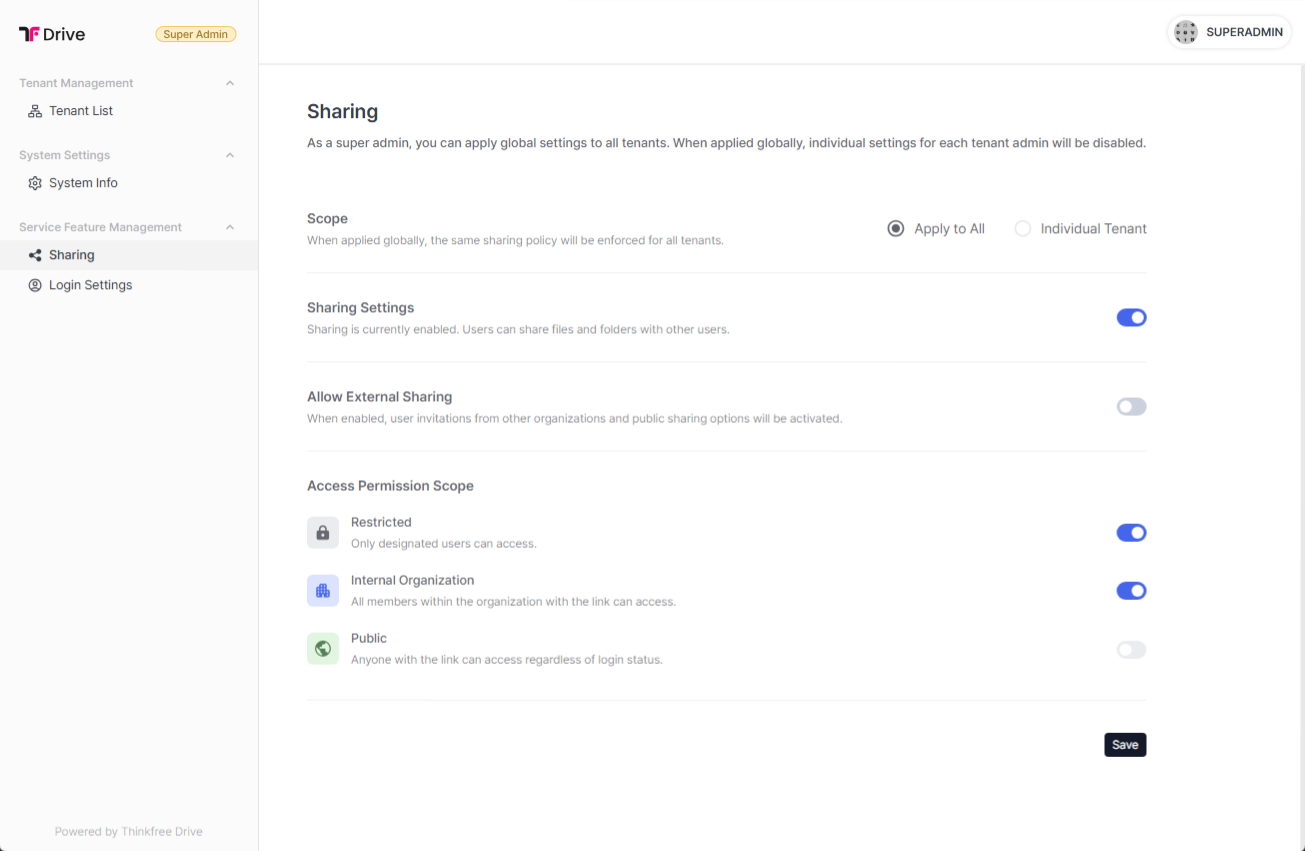
In addition to local sign-in (email and password) and JWT authentication, Thinkfree Drive now supports OpenID Connect (OIDC), allowing users to authenticate through external identity providers.
Connect Thinkfree Drive to your existing OIDC-compliant identity provider so users can sign in with their existing credentials through single sign-on (SSO), reducing administrative overhead and simplifying user access.
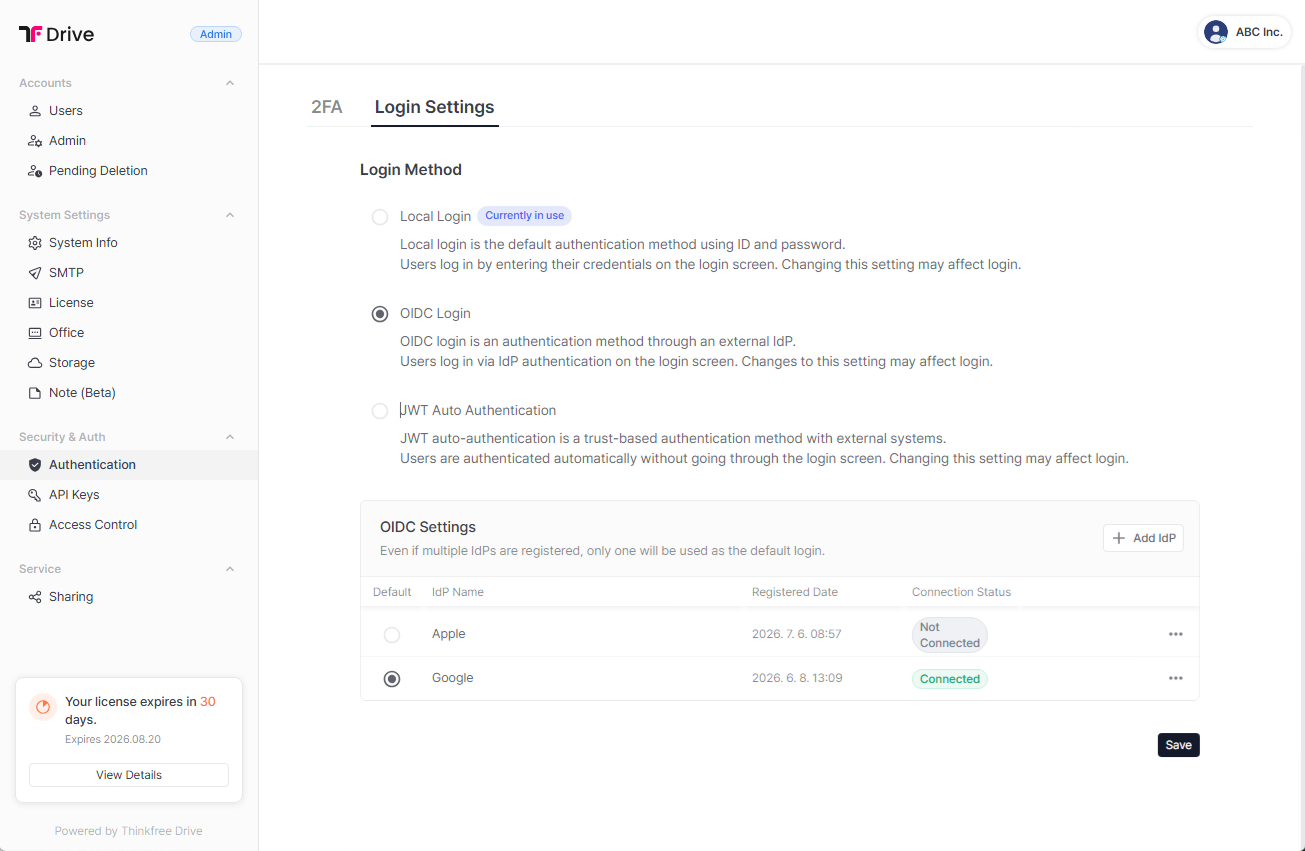
Sharing policies have been enhanced to give organizations more control over how content is shared both internally and externally.
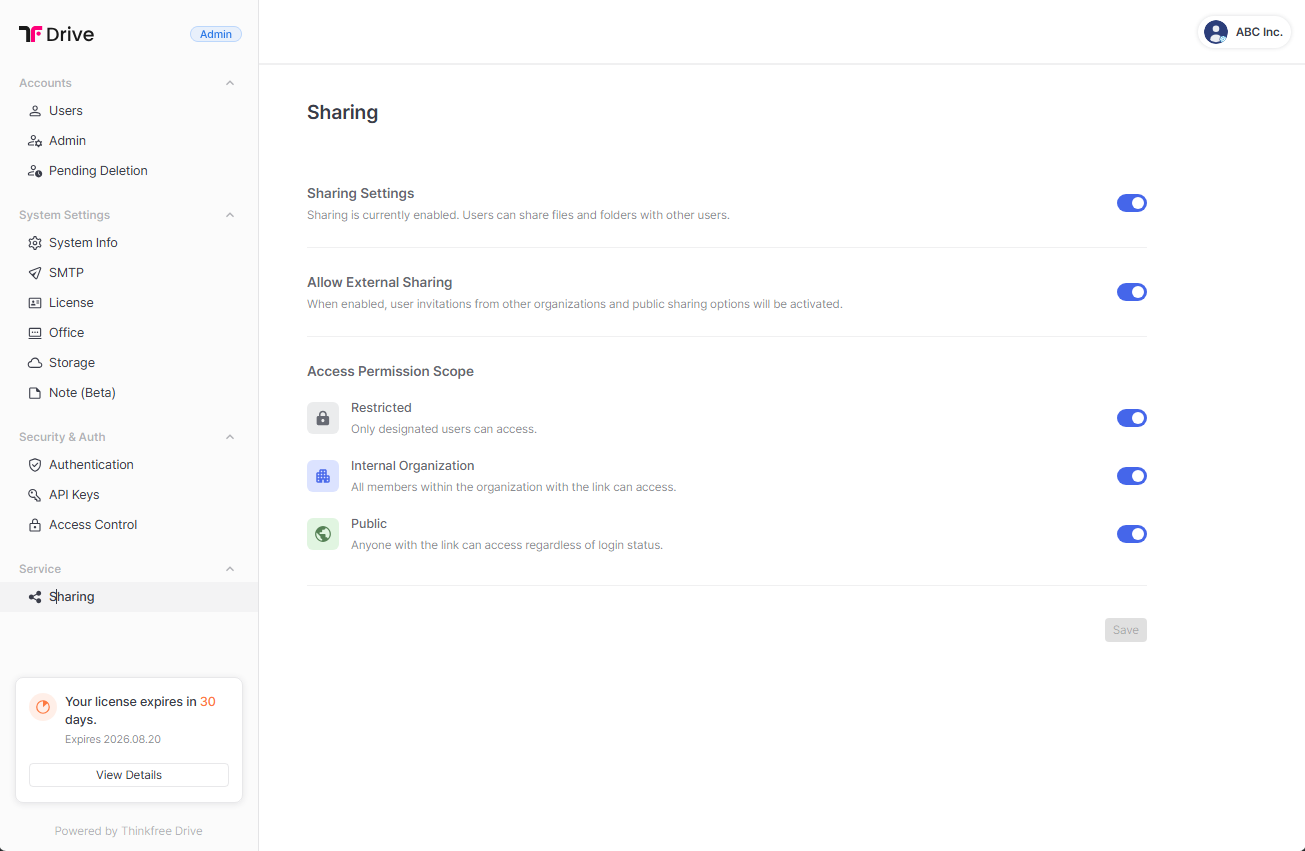
Tenant (organization) admins can independently enable or disable sharing, allow or block external sharing, and configure the default access scope. Available access scopes include Restricted, Internal Organization Only, and Public.
In addition to general access permissions, administrators can assign permissions to individual users. Configure viewing, editing, downloading, and sharing permissions to align with your organization’s security and collaboration policies.
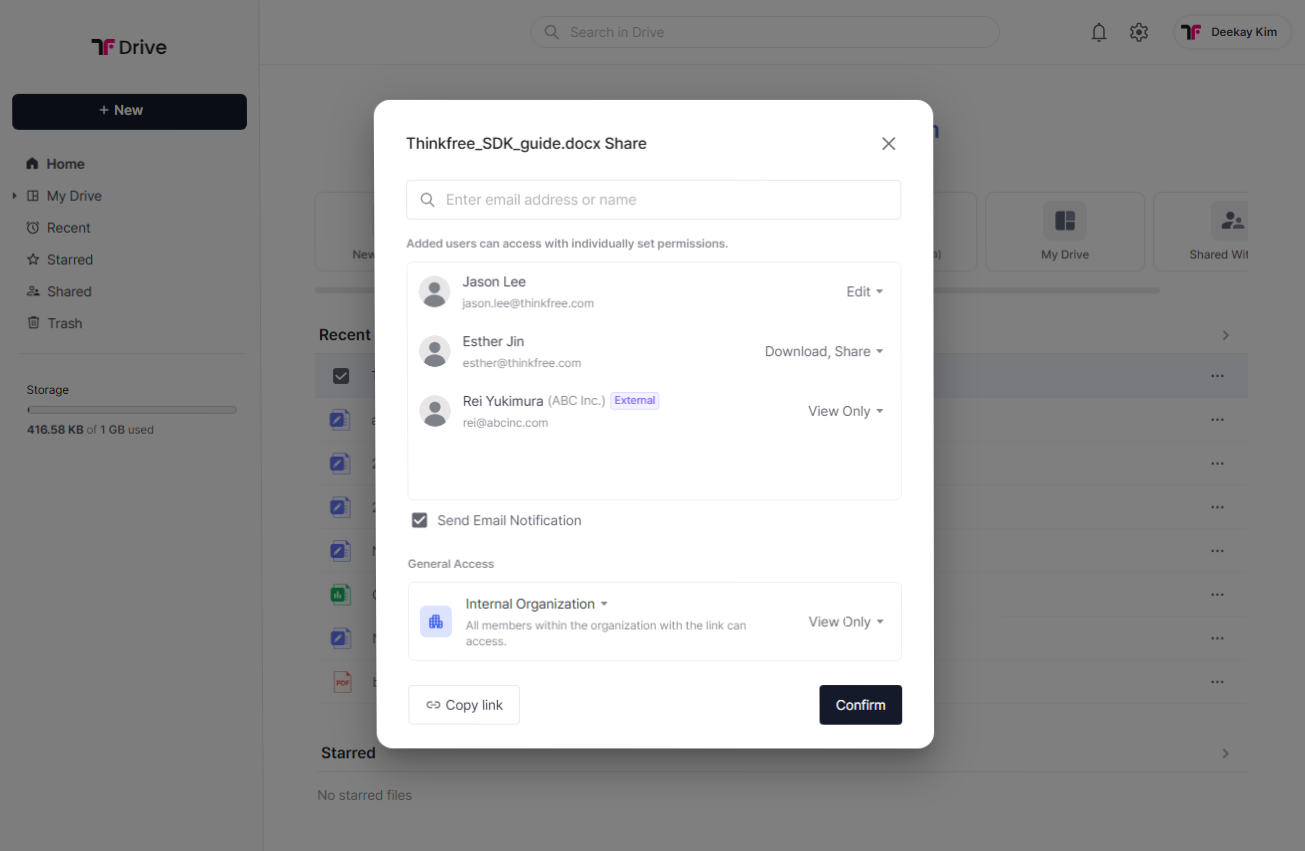
The account management experience has been streamlined to make administration more intuitive for both administrators and users.
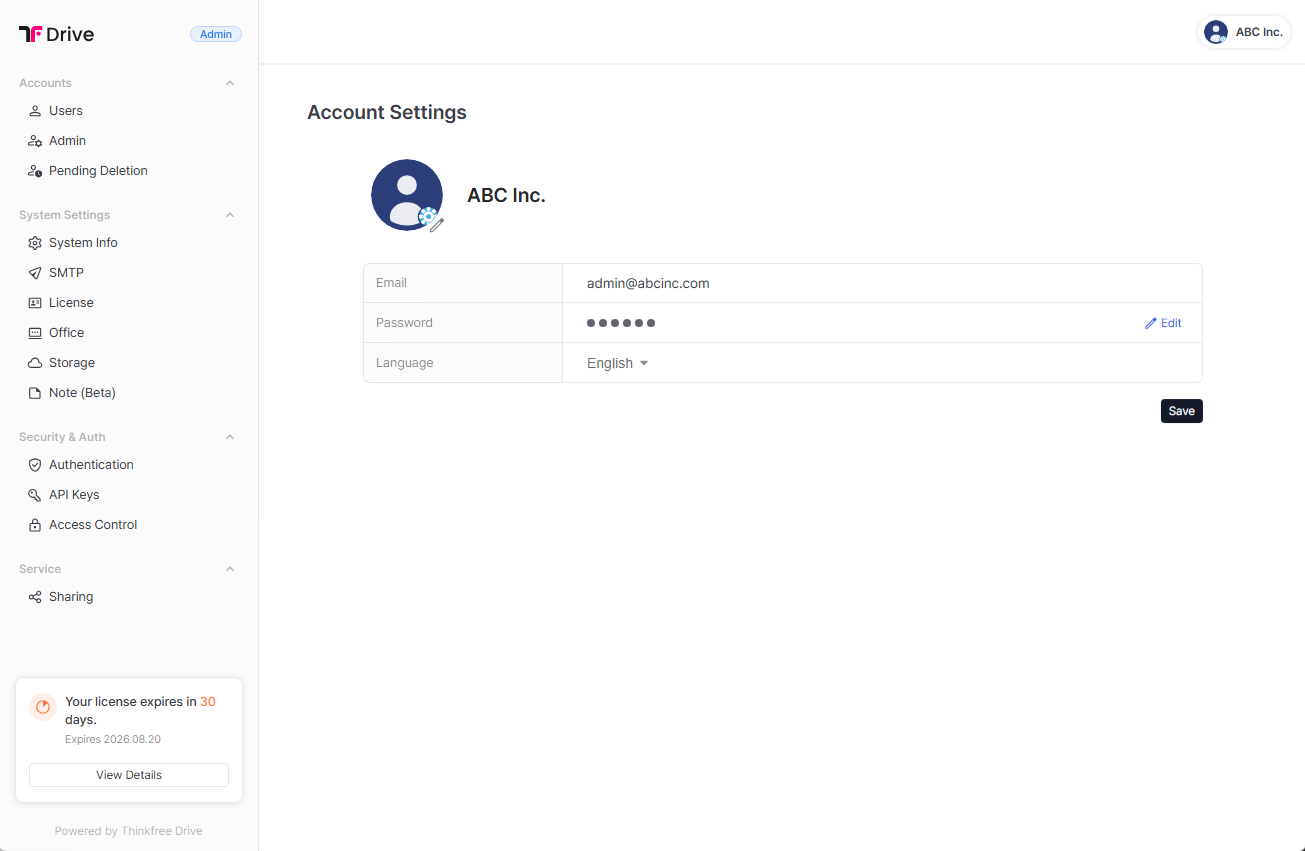
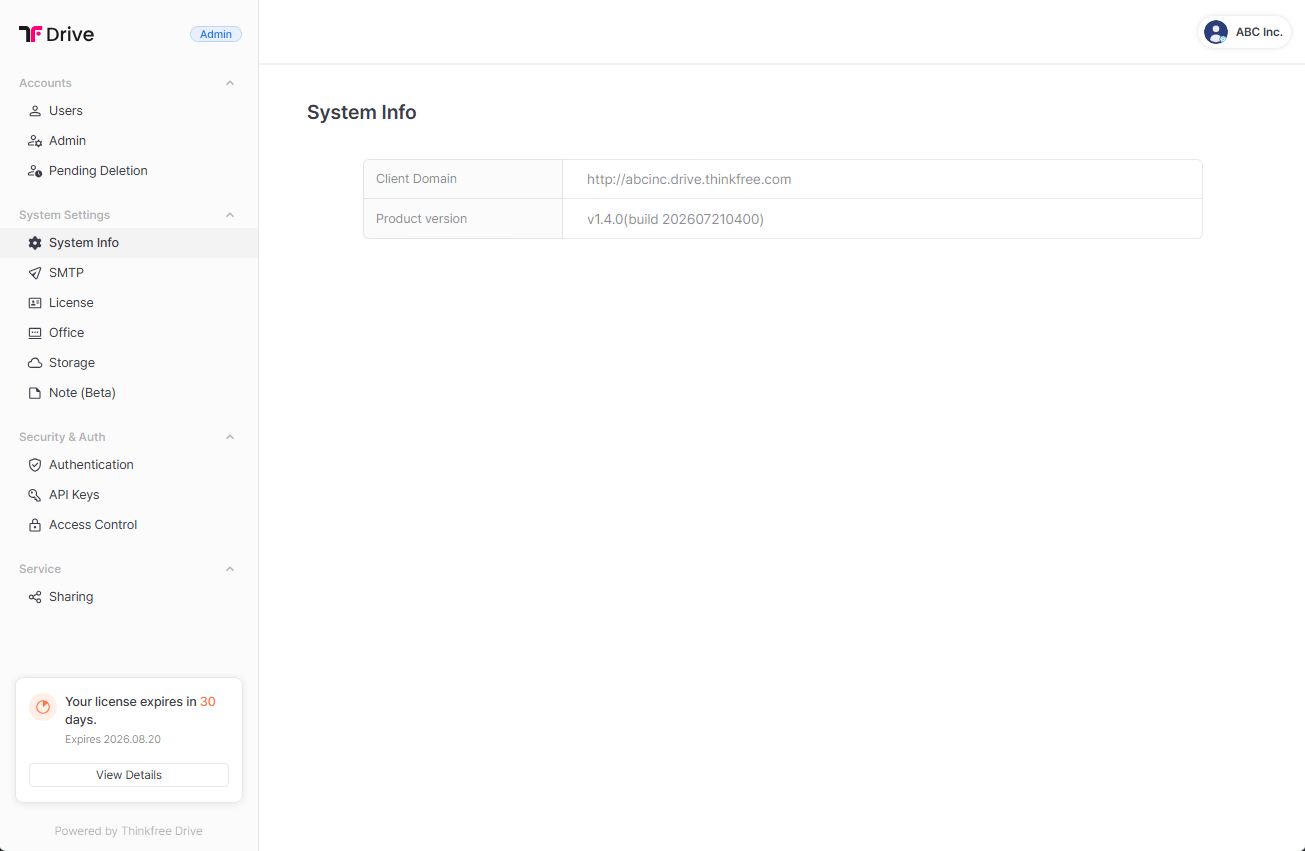
The admin portal now separates the former General Settings menu into Account Settings and System Info, making it easier to distinguish between configuration settings and system information. Users can also manage their personal account information from the Account Settings page.
See what Thinkfree Drive can do.
Explore partnership opportunities.
Like this post? Share with others!