
Edit Microsoft Office documents directly in Nextcloud while keeping your data in your own infrastructure.
Deploy on-premises or in a private cloud with enterprise-grade security, Microsoft Office compatibility, and real-time collaboration.
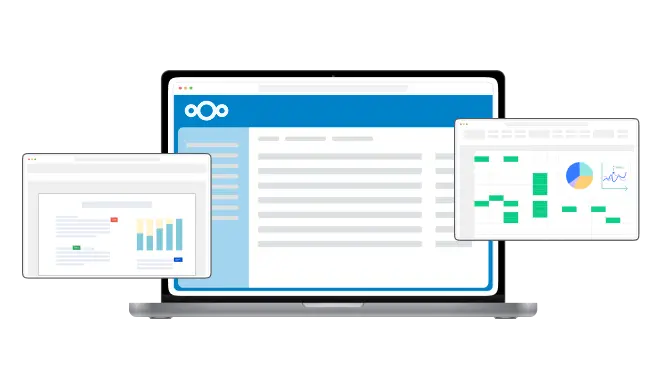
Create, edit, and collaborate on documents, spreadsheets, and presentations right inside your Nextcloud.
Enjoy real-time co-authoring, format compatibility, and complete control over your data in a secure, browser-based environment.
Fast, seamless editing with full support for Open Document and Microsoft Office formats, ensuring accurate formatting and smooth performance
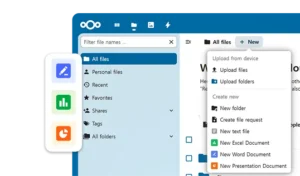
Create, edit, and collaborate on Office files in real time right within Nextcloud, with seamless sync to your storage

Securely store and share documents in your own Nextcloud, with full control over data and access no external cloud needed
Protect your organization’s data with a fully self-hosted office solution integrated with Nextcloud, supporting compliance with data privacy regulations and digital sovereignty initiatives.
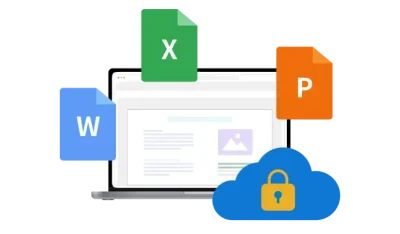
Setting up Thinkfree Office in Nextcloud takes four steps. This requires a running Thinkfree Office Server, reachable from both your Nextcloud server and client browsers.
For the full configuration guide, see How to set up Thinkfree Office for Nextcloud.
Thinkfree Office for Nextcloud is a self-hosted online office solution that enables organizations to create, edit, and collaborate on Microsoft Office documents directly within their Nextcloud environment. Users can work with DOCX, XLSX, and PPTX files in a web browser while keeping documents securely stored in their own infrastructure. This makes Thinkfree Office an ideal solution for organizations that require secure document collaboration, data ownership, and flexible deployment.
Thinkfree Office combines secure file management in Nextcloud with enterprise-grade online document editing. Users can open, edit, and collaborate on Microsoft Office documents without leaving the Nextcloud interface, while organizations retain full control over where their documents are stored. With flexible deployment options, high document fidelity, and real-time collaboration, Thinkfree Office is a powerful alternative to public cloud office suites.
Yes. Thinkfree Office enables users to open, edit, and save Microsoft Word (DOCX), Excel (XLSX), and PowerPoint (PPTX) files directly within Nextcloud. Editing takes place entirely in a web browser, eliminating the need to download files or install desktop software while maintaining compatibility with Microsoft Office document formats.
Thinkfree Office is designed for organizations that require enterprise-grade document editing, flexible deployment, and advanced customization. It supports Microsoft Office and OpenDocument formats, offers white-label capabilities, and can be deployed on-premises, in private cloud environments, or with Docker and Kubernetes. These capabilities make it well suited for organizations with demanding security, compliance, and scalability requirements.
Thinkfree Office supports Microsoft Office formats, including DOCX, XLSX, and PPTX, as well as OpenDocument formats such as ODT, ODS, and ODP. This broad compatibility allows organizations to collaborate across different office environments while preserving document quality and existing workflows.
Yes. Multiple users can edit the same document simultaneously, with changes synchronized in real time. This helps teams work more efficiently, minimizes version conflicts, and accelerates document review and approval processes across distributed organizations.
Documents remain stored in your existing Nextcloud environment. Thinkfree Office provides browser-based document editing without transferring files to an external public cloud. This architecture helps organizations maintain data ownership, strengthen security, and support internal governance, compliance, and privacy requirements.
Yes. Thinkfree Office supports GDPR compliance and data sovereignty initiatives by enabling organizations to deploy online document editing within their own on-premises or private cloud infrastructure. Keeping sensitive documents under organizational control helps reduce compliance risks while supporting regional data protection requirements.
Thinkfree Office supports multiple deployment options, including on-premises environments, private clouds, Docker containers, and Kubernetes clusters. Organizations can select the deployment model that best fits their security, scalability, high availability, and IT management requirements.
Yes. Thinkfree Office provides white-label and user interface customization options for software vendors, managed service providers (MSPs), and enterprises. Organizations can customize branding elements such as logos, colors, and interface components to deliver a consistent user experience across their own products and services.
Thinkfree Office is designed for organizations that require secure online document editing while maintaining complete control over their data. It is well suited for enterprises, government agencies, educational institutions, healthcare providers, financial organizations, and service providers looking for a self-hosted alternative to public cloud office suites with seamless Nextcloud integration.