
Bring DOCX, XLSX, and PPTX editing into your application while keeping documents in your exiting storage.
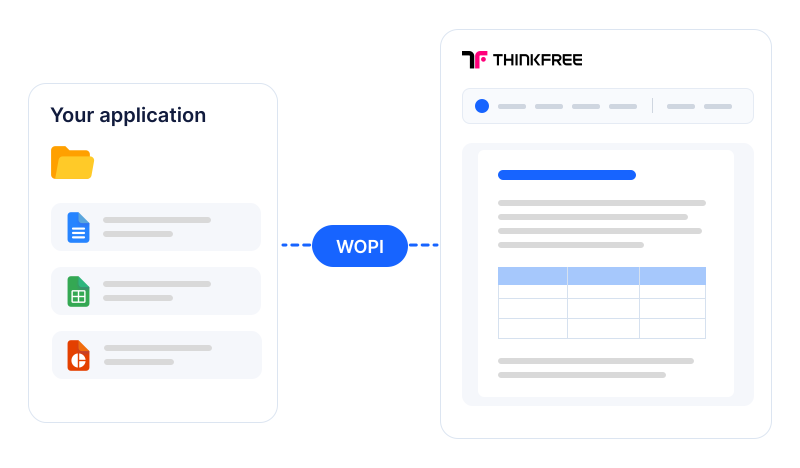
Connect Thinkfree Document Editor SDK through WOPI so users can open, edit, and save documents within their existing workspace
Explore Office editing for your SharePoint environment. Contact us to confirm supported versions and integration requirements
Let users edit documents where they manage, organize, and review them
Add document editing to the workspace where users already share their files
Bring Office editing into your application through a WOPI host implementation
Review your host application, required editing features, and deployment environment to define the scope of your Thinkfree Document Editor SDK integration
Already using a WOPI-based Office editor?
Identify what can be reused and what needs to change before switching
01
Compare your current WOPI implementation with Thinkfree Document Editor SDK’s required operations, discovery, and authentication flow.
02
Verify the file formats, editing features, and collaboration workflows your users rely on.
03
Test document opening, editing, saving, and permissions in your environment before moving to production.
Share your version and configuration with us to review compatibility and migration requirements.
FAQ
Share your SharePoint version and deployment configuration with us so we can confirm compatibility and integration requirements.
No. Documents can remain in your existing storage. Thinkfree reads and saves files through your WOPI host, which manages access to those files.
Yes. Multiple users can work on the same document in Thinkfree. Your WOPI host must correctly handle the required locking operations and user permissions.
WOPI connects Thinkfree to your application’s file access and storage workflow. The SDK APIs let your application read and modify document content, such as paragraphs, spreadsheet cells, and slide objects.
Contact us to discuss an evaluation in your environment. You can validate document opening, editing, saving, permissions, and collaboration before replacing your current editor.
GET STARTED
Tell us about your application and deployment environment. We’ll help you review compatibility and integration requirements.