Add embeddable Office editing for DOCX, XLSX, PPTX, and ODF files. Control document objects through APIs, or connect your own LLMs and AI agents to edit them from natural-language prompts.
Previously offered as Thinkfree Office
The code on the left is driving the editor on the right — try the same editor live →
Give users a full editing experience while your application controls document content through APIs and AI workflows.
Bring Office document editing directly into your application.
Read and modify paragraphs, tables, ranges, formatting, and other document objects.
Works with the DOCX, XLSX, PPTX, and ODF files your users already have.
Connect your existing LLMs and AI agents to document editing workflows.
One live document. Not two copies to keep in sync.
Users work in the Office interface while your application or AI agent reads and updates the same open document through object-level APIs.
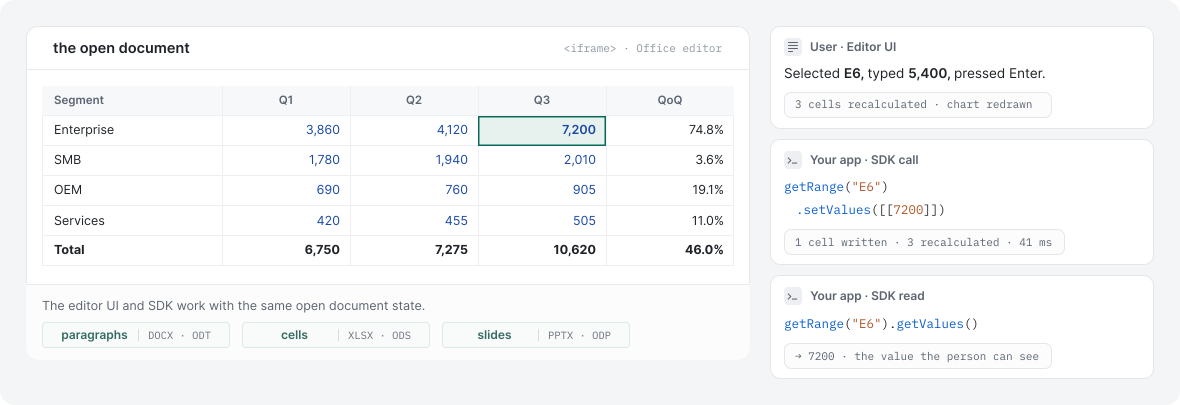
Expose document tools through the SDK, let your application or AI agent choose the right action, and apply changes to the same open document.

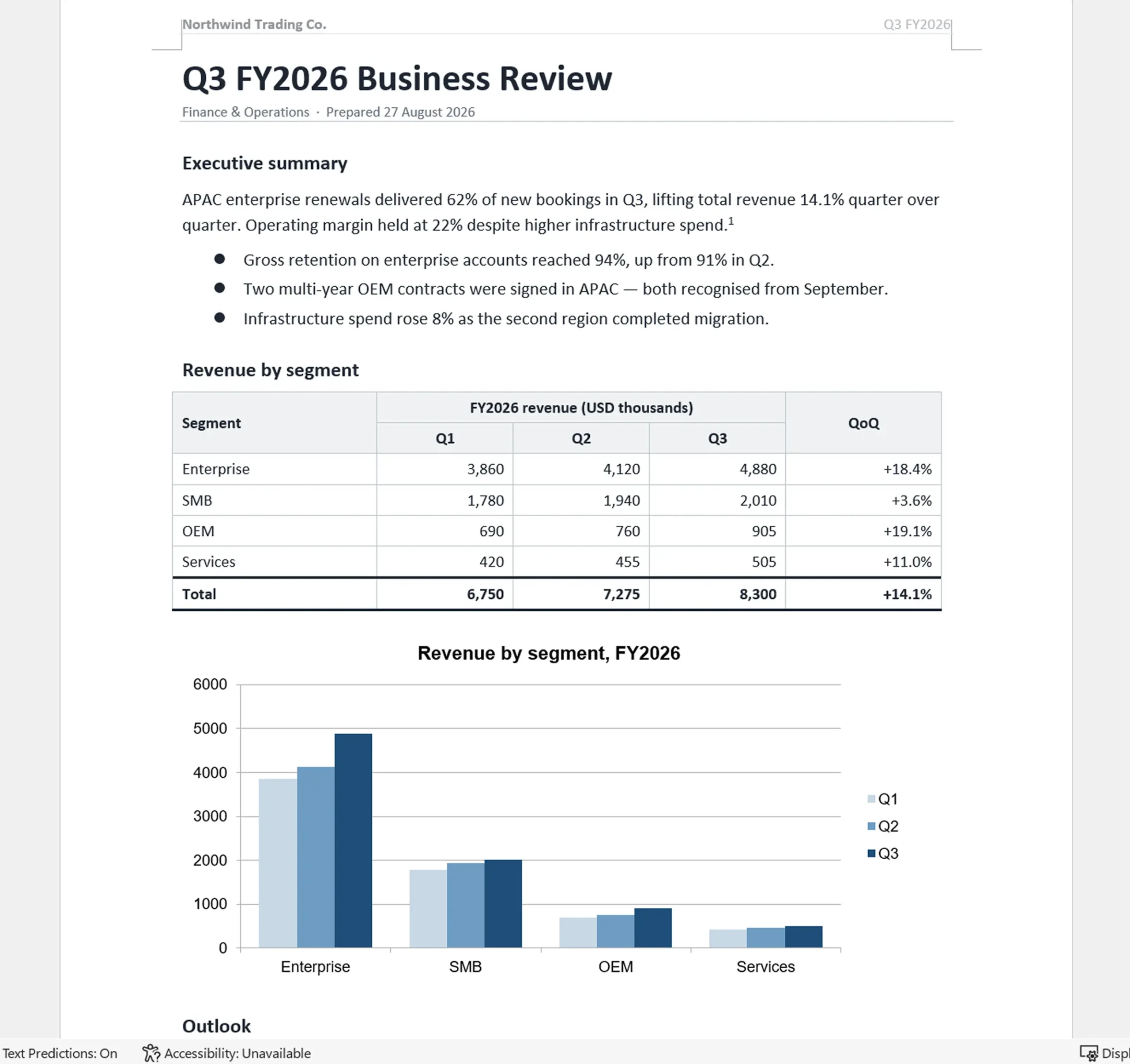
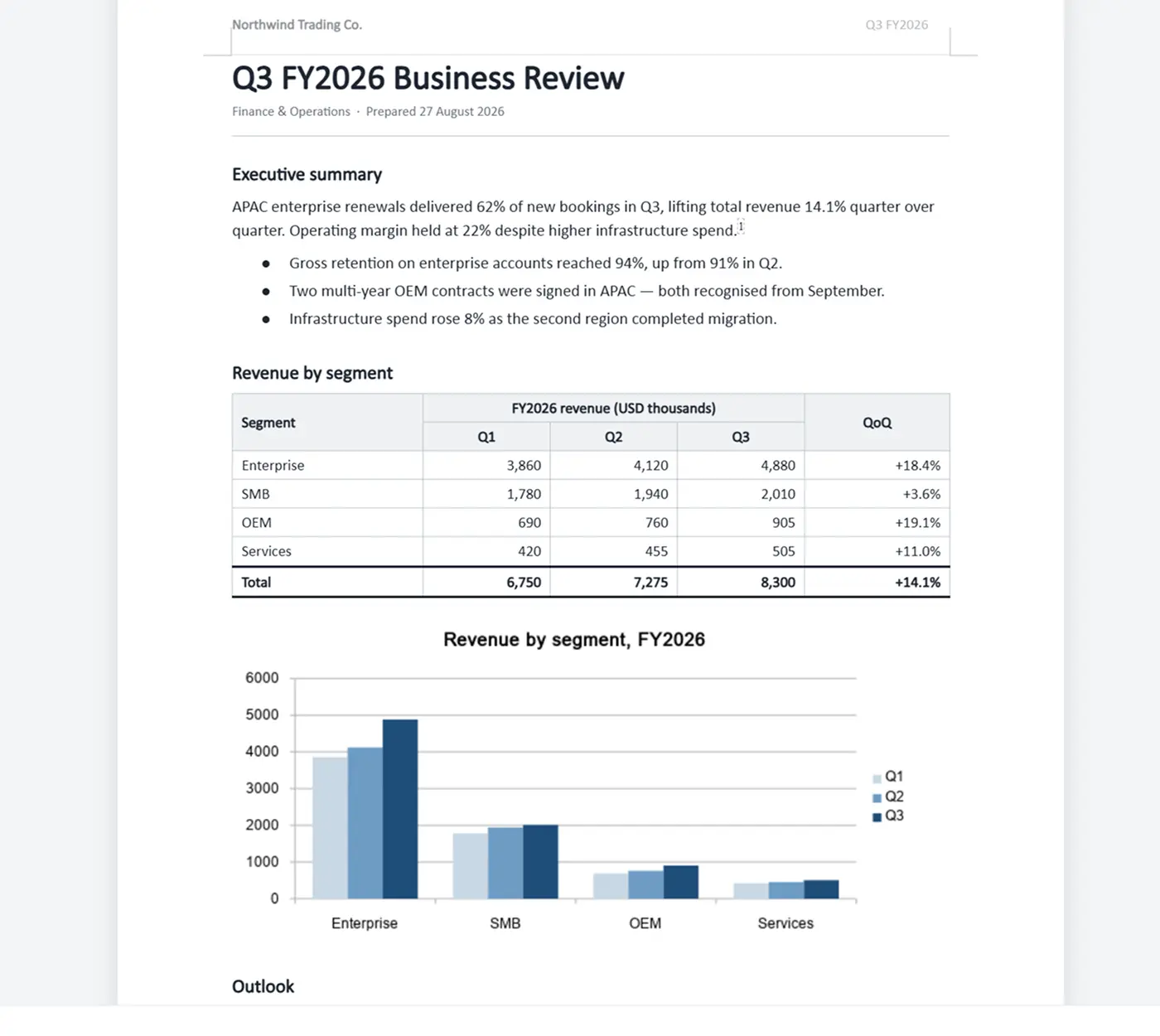
We opened a sample DOCX in the editor, saved it, and compared the files part by part. In this sample, footnotes remained footnotes, charts remained charts, and fields remained fields.
Microsoft Word
Thinkfree Document Editor SDK
same page, same zoom
19 / 19
OOXML parts preserved
All 19 OOXML parts checked in this sample remained present after the round trip.
16 / 16
Construct counts unchanged
Counts for merged cells, cell borders, section breaks, page-number fields, and body text remained unchanged in this sample.
1
Difference found
One difference in the round trip.
Edit Word, spreadsheet, and presentation files across OOXML and ODF formats in the same embedded editor.
DOCUMENTS
DOCX
ODT
SPREADSHEETS
XLSX
ODS
PRESENTATIONS
PPTX
ODS
Use object-level APIs to read and update content in documents, spreadsheets, and presentations.
INSERT A PARAGRAPH
// Existing Word document handle
const body = await wordDoc.getBody();
await body.insertParagraph(“Quarterly summary”);
Word.Document · getBody()
Word.Body · insertParagraph()
UPDATE A VALUE
// Existing worksheet handle
const range = await worksheet.getSelection();
await range.setValue(7200);
Cell.Worksheet · getSelection()
Cell.Range · setValue()
ACCESS SLIDE OBJECTS
// Existing presentation document handle
const slide = await presentationDoc.getSlide(0);
const shapes = await slide.getShapes();
Show.Document · getSlide()
Show.Slide · getShapes()
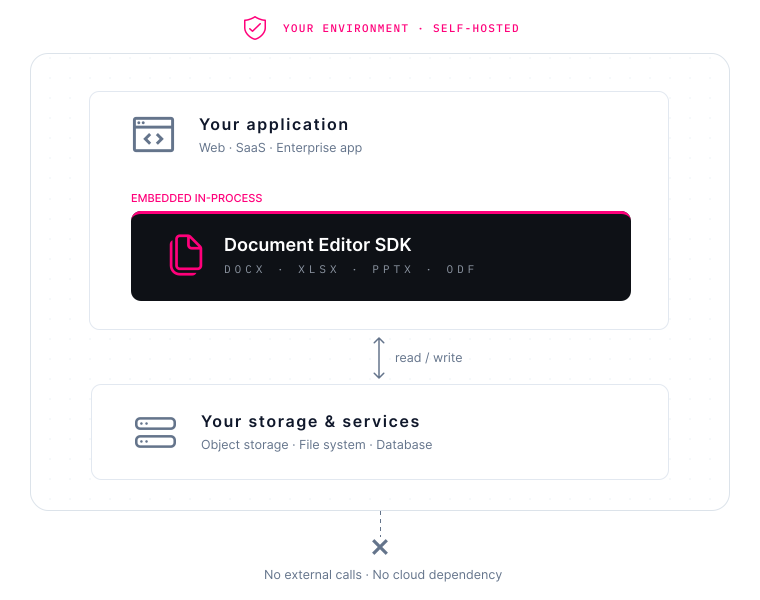
Run document editing within your infrastructure and connect it to your existing application and storage workflow.
GET STARTED
Review the documentation or talk to us about your integration requirements.