Connect Thinkfree’s Office editing to your existing SharePoint Server through WOPI. Keep files in SharePoint and validate your editing workflows before switching.
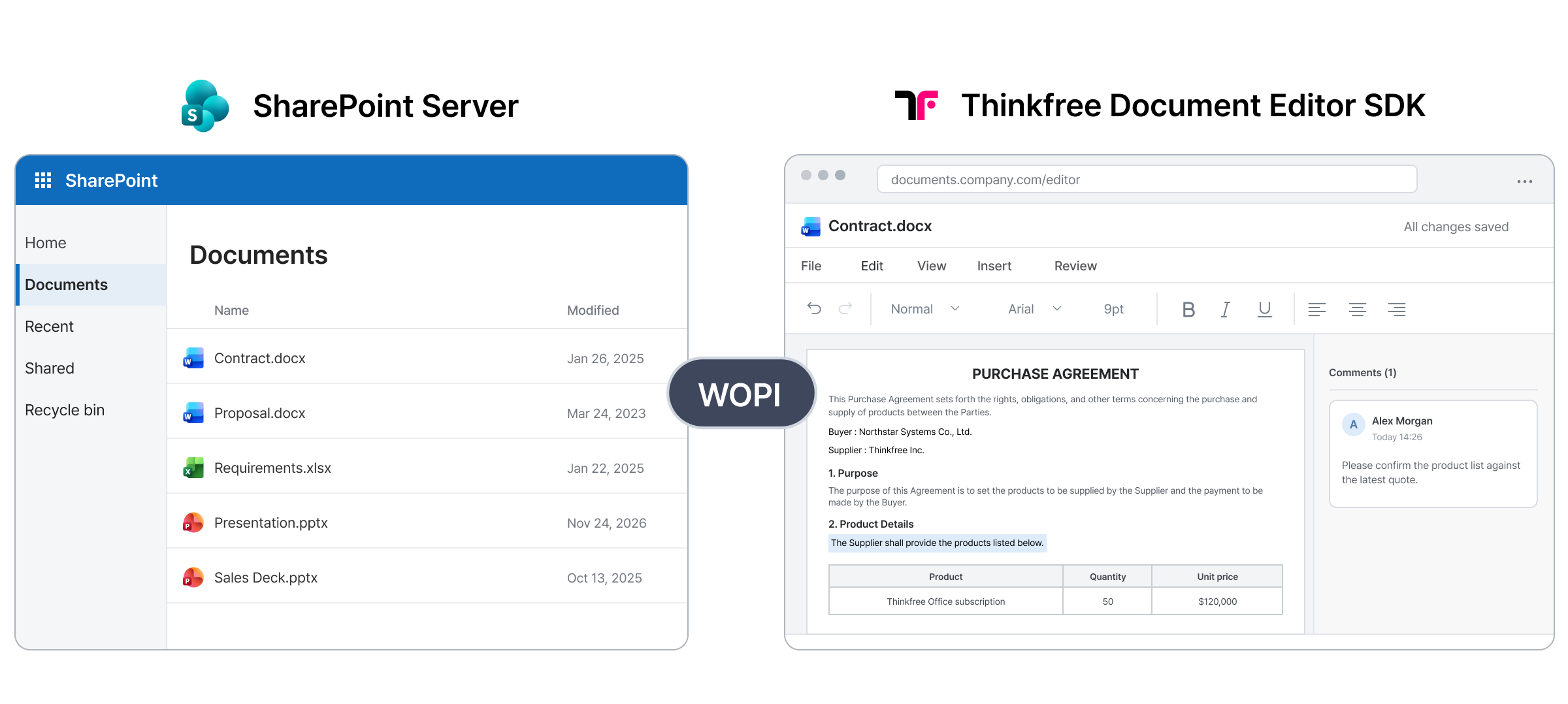
After support ends, OOS will no longer receive security updates, bug fixes, or technical support. SharePoint Server can remain in place, but organizations using OOS should plan how browser-based document editing will continue.
Your environment can remain
Support ends Dec 31, 2026.
No updates or technical support
Plan your browser editing environment
SharePoint Server remains the WOPI host and document repository.
Thinkfree Document Editor SDK provides the browser-based editing experience and connects to SharePoint through WOPI.
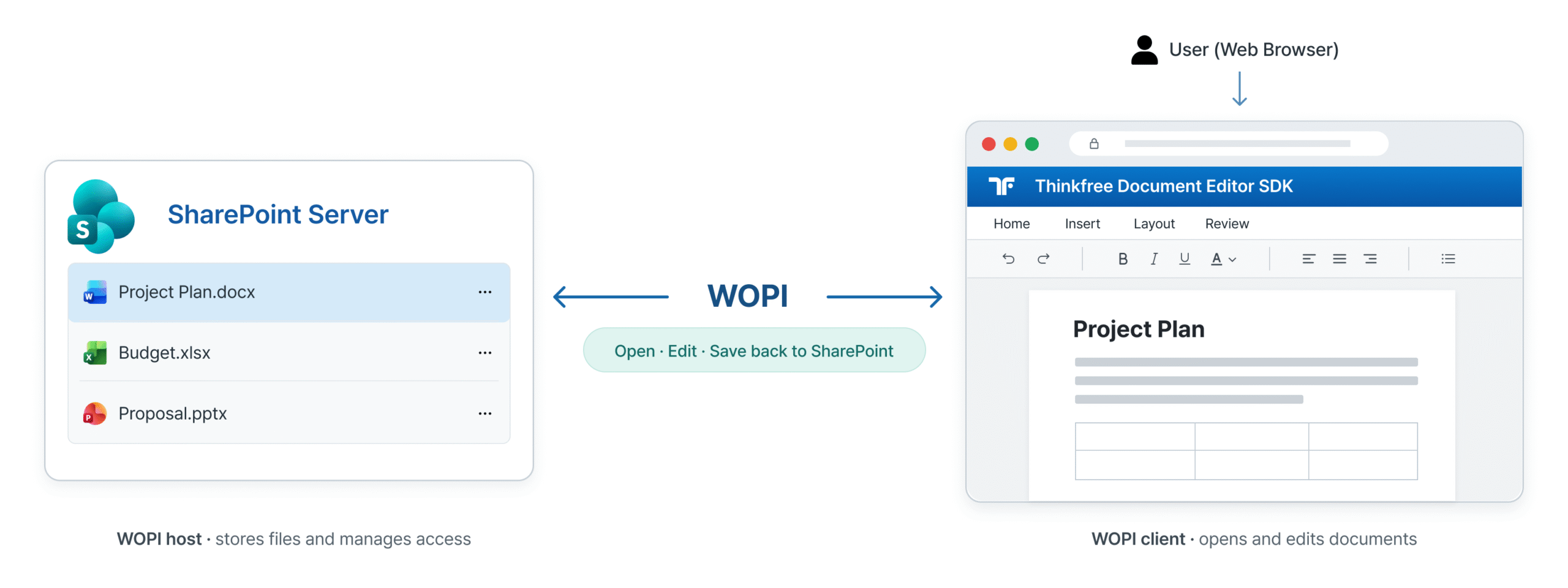
Select a document in SharePoint
Open it in the browser editor
Save changes to the SharePoint document
Check the configuration and document workflows your users rely on before moving browser-based editing to a new WOPI client.
SharePoint Server version and configuration
Document formats and editing workflows
User permissions and access
Save behavior and document locking
Network connectivity between servers
Validate these items with your actual SharePoint environment.
Review these four areas with your SharePoint and infrastructure teams before configuring the WOPI connection.
Record the SharePoint Server version, farm topology, and current Office Online Server configuration.
Confirm HTTPS reachability, DNS, certificates, firewall rules, and connectivity between SharePoint and the editor.
Review how users are authenticated and how read or edit access is enforced for each document.
Select representative DOCX, XLSX, and PPTX files and identify required open, edit, and review worklfows.
Validate the setup, configure the WOPI connection, and test real documents before rollout.
Confirm your SharePoint Server configuration and OOS-dependent workflows.
Connect SharePoint Server with Thinkfree Document Editor SDK using the setup guide.
Open, edit, and save representative file in your environment.
Run these checks with representative files and use roles in your own SharePoint environment.
FAQ
The integration is intended to keep SharePoint Server as the document host. Whether your current environment can use this setup depends on your SharePoint version and configuration, which should be reviewed before implementation.
Compatibility depends on the SharePoint Server version and WOPI configuration. Share the version and farm setup with the Thinkfree team to confirm the scope for your environment.
The integration requires configuring the connection between SharePoint Server and Thinkfree Document Editor SDK through WOPI. The specific changes depend on your current OOS setup and SharePoint configuration. See the WOPI setup guide for the configuration steps.
SharePoint remains responsible for document access permissions. During integration testing, verify that read and edit access in your SharePoint environment produces the expected behavior in the editor.
Start with representative DOCX, XLSX, and PPTX files from your workflows. Test opening, editing, saving, and any formatting or document features your users depend on.
Yes. First configure the WOPI connection in a test environment, then validate document access, editing, saving, permissions, and network connectivity before production rollout.
Share your SharePoint Server version and current configuration to review integration feasibility and define what to validate in your environment.