
Today’s LLMs are capable of generating document content. But generating content alone isn’t enough to produce a document a business can use. The document’s formatting and structure also need to stay intact, and every edit has to follow the rules of its format.
The question is whether AI can understand a document well enough to make those edits and produce a usable result. The basic requirements do not change when the work moves to AI document editing. AI needs to handle document structure and formatting with the same level of fidelity as a human editor, while also accounting for the rules of each document format.
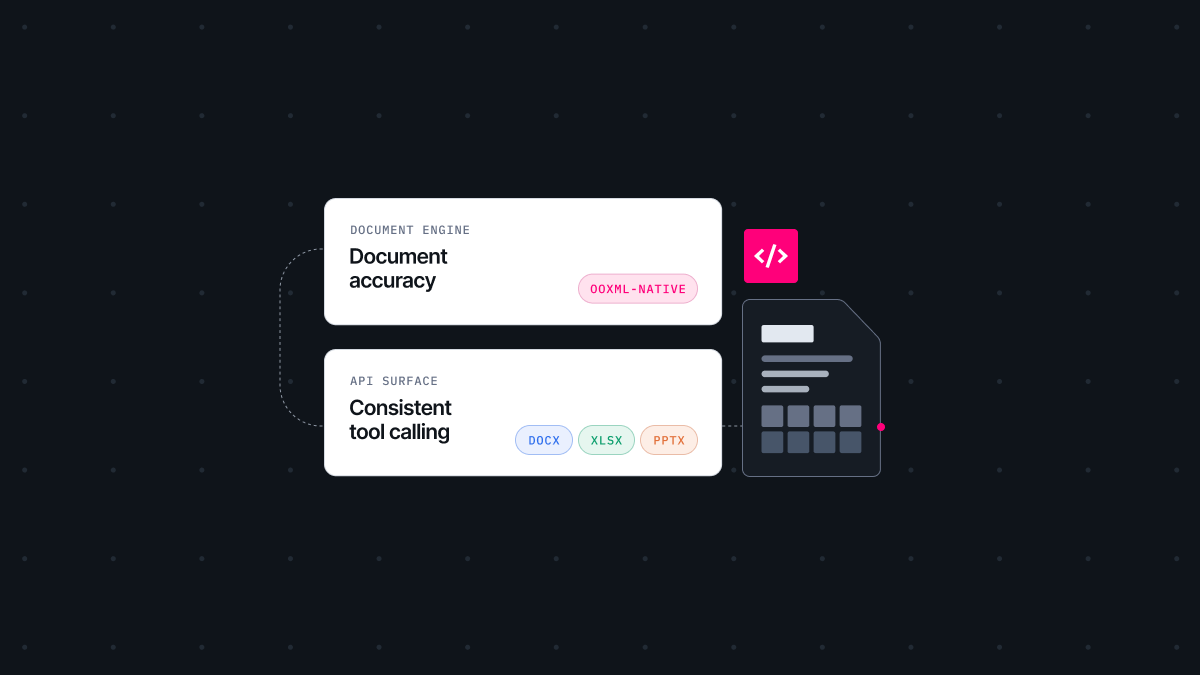
We didn’t think better LLM performance alone would solve this. For AI to work with documents, you need a layer between the LLM and the document, one that understands the document’s structure and can carry out the edit. That layer is where much of our work went as we opened up the Thinkfree Office document engine through what we now call Document Editor SDK.
Document Editor SDK is a family of SDKs developers can embed in their own products and services. Editor SDK opens and controls the document, and Editor AI SDK exposes those editing operations to an LLM as structured tools. Together they handle AI document editing on real DOCX, XLSX, and PPTX files.
This post walks through two engineering requirements for letting AI edit real documents. It also looks at the choices we made to meet them while building Editor AI SDK, and what we gave up in return.
Turning AI-generated content into a usable document starts with preserving its structure and formatting. If someone opens a document and finds broken formatting or a changed table structure, they will consider it defective. AI document editing has to meet the same standard as any other edit.
The process of assembling AI-generated content into a real document can introduce various problems. In an OOXML file, style inheritance can get lost, table structures can collapse, and list numbering can break.
Knowing where formatting problems may occur does not make them easy to address. The OOXML specification is complex and extensive. Even a single paragraph carries several layers of properties: ones applied directly, ones inherited from a style, and ones coming down from the document defaults. A table brings its own problems, like merged cells and border precedence. How accurately those layers are reproduced determines what the user sees when the file opens.
The simplest way to process OOXML is to use an existing external library. You build the functions you need on top of it, which can reduce the time and cost of the initial build.
The tradeoffs are different once formatting accuracy becomes the priority. Anything the library does not support needs extra handling on our side, and the output also depends on the library’s implementation and any bugs in the library.
So we decided to build our own engine to handle OOXML directly and reduce our dependency on external libraries. That meant working through the complex OOXML spec ourselves and taking on the implementation effort that came with it. An external library would have gotten us to a working result much faster.
We could make that call because we have spent years working with document structures, starting with the world’s first web-based office suite. We built our own parsing, rendering, and filtering technology on that experience. We keep widening our OOXML and ODF coverage with dedicated parsers, importers, and exporters for word, spreadsheet, and presentation formats.
An AI agent encounters many of the same problems as a human editor, but errors can affect the result differently.
A person can spot one list number out of place and still follow the meaning from context. In an automated editing process, that same structural mismatch can become an error. Something the model reads as trivial can be the thing that bothers the user. And if it slips through, the model takes it as a given and builds the next step on top of it. By the time you find the problem in the final document, it can be hard to trace back to where it started. That is why the architecture has to account for these cases and apply strict validation.
So the document engine does more than read and write files. It has to determine whether an edit is valid within the document’s structure and formatting rules.
The technology we developed over years of building our document engine now has a new role when AI edits documents. We have always treated a document as a set of objects. Paragraphs, tables, cells, shapes. That gives an agent a way to act on one element at a time, and because we track the structure and state of every object, it also gives us a way to check whether the agent’s actions were valid.
The document engine takes care of the document’s accuracy. That leaves the other half of the problem. How do you actually make the editing functions for word-processing, spreadsheet, and presentation documents available to AI?
DOCX, XLSX, and PPTX are all Office file formats, but each has a different internal structure. Different structures mean different ways of manipulating the document. Even with the same “insert a table” request, the way that operation is handled differs by format.
Structure | How positions are specified | |
|---|---|---|
DOCX | A flow-based structure where elements are placed in sequence | "After the third paragraph" |
XLSX | A cell-based grid structure made up of rows and columns | "Sheet1, B3:B10" |
PPTX | A structure where elements are placed on a slide by coordinates and size | "Slide 2, x=100, y=250" |
Giving every format its own set of APIs may look like unnecessary overhead at first. But each format has a different structure and requires different editing operations, so each format needs its own API set.
The challenge was to keep those differences from becoming the developer’s problem. The SDK holds that complexity internally, away from both the model and the developer integrating it. Each editing function is available as a tool an AI agent can call. The agent uses the tool definitions to determine which operation it needs and calls the corresponding tool.
Each module performs different operations, so the DOCX, XLSX, and PPTX APIs never had to match. What we made consistent is the way each module exposes its tool calling information, so the agent can find the right tool and call it.
As a result, agents can edit documents through the tools provided for each format instead of handling complex XML structures directly. The SDK engine turns those tool calling requests into document operations, then handles the reconstruction and validation of the result.
Looking back, both decisions led to the same conclusion. AI document editing is not a simpler problem than manual editing. The SDK needs to handle that complexity so the model does not have to.
The document engine handles formatting and structure. The SDK works at the object level, applies what the agent does to the file, and validates the result. It also exposes each format’s functions as tools using a consistent approach to tool calling across modules. That complexity stays inside the SDK, so developers integrating AI can work without touching low-level document structures, while keeping control of the tool loop and approval flow in their own application.
That is the layer Editor AI SDK is designed to provide. Working with real documents takes more than a stronger model. We wanted to connect the document engine technology we have built over the years with the tools and structure AI needs to work with real documents.
Explore the supported features of Editor AI SDK and Document Editor SDK, and try them out below.
Try the SDK in your browser.
Read the API reference and guides.
Like this post? Share with others!