
Connect your AI application or agent to Thinkfree Document Editor SDK to edit paragraphs, cells, and slides in existing DOCX, XLSX, and PPTX files. Users can review and edit the same document in the embedded editor.
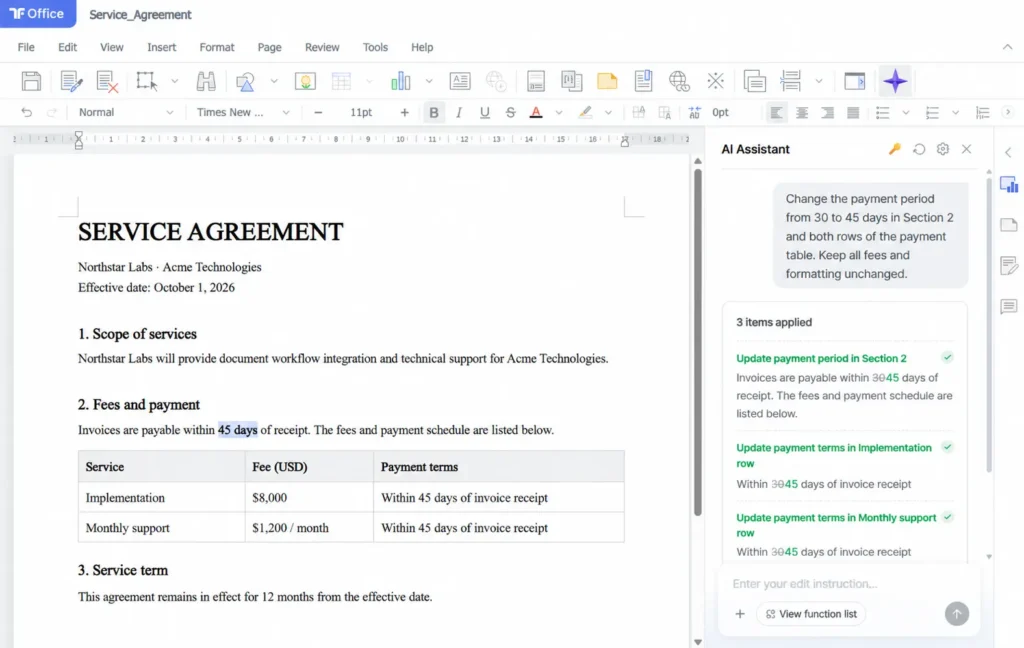
An Office document carries formatting, tables, shapes, and relationships, not just text. When an AI workflow returns revised text extracted from an existing document, the application may need to reconstruct the Office file around that content. Thinkfree instead lets the workflow apply targeted operations to editable document objects.
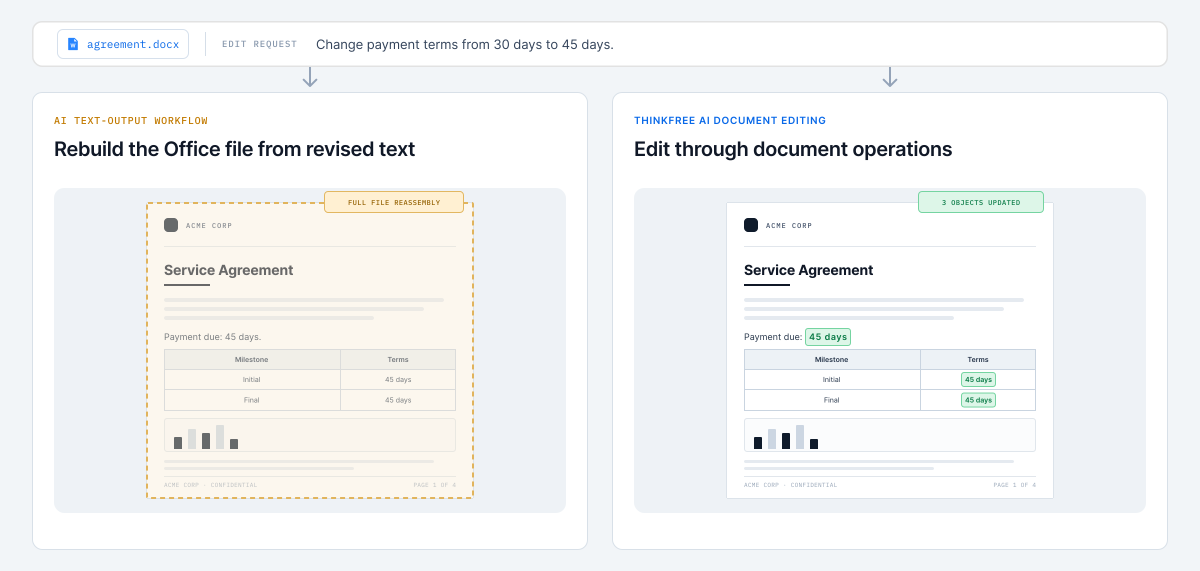
OBJECT-LEVEL CONTROL
Work with paragraphs, ranges, tables, shapes, charts, and slides instead of treating an Office file as a block of text. Document Editor AI SDK exposes document tools backed by Document Editor SDK operations to your AI workflow.
const paragraph = await word.getParagraph(paragraphId);

const text = await paragraph.getText();
const from = text.indexOf("30 days");
const range = await paragraph.getRange(from, from + 7);

await range.insertText("45 days", {
  replace: true
});HOW IT WORKS
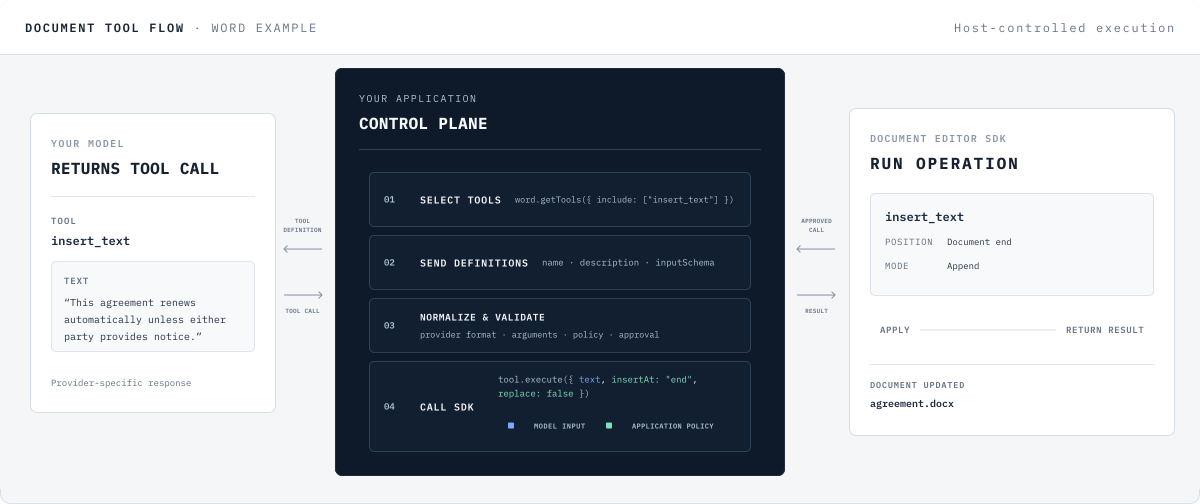
Document Editor SDK provides structured document tools with names, descriptions, input schemas, and execution functions. Your application chooses which tools the model can access, validates returned calls, and passes approved calls to the SDK for execution.
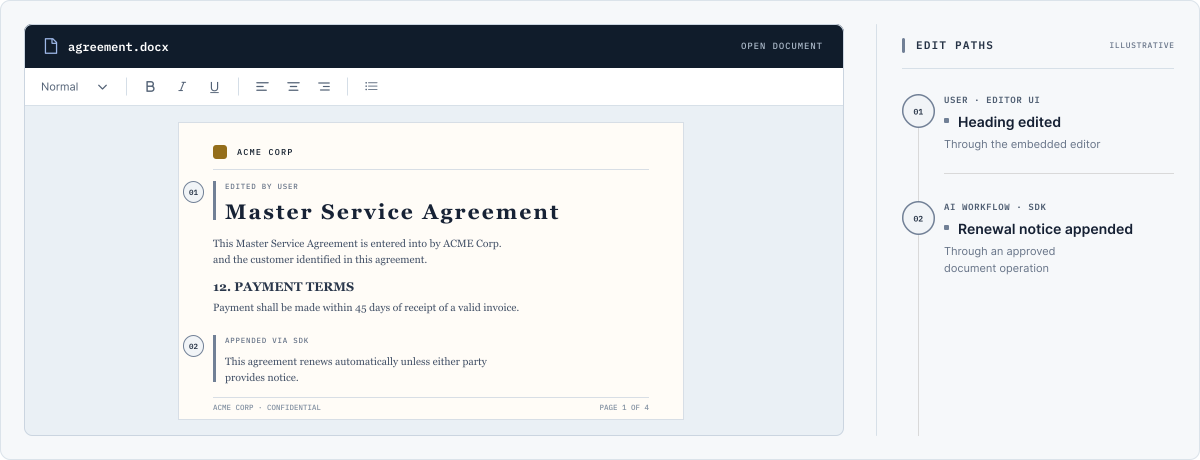
Users edit the document in the embedded Office UI. Your application applies approved operations to that document through Document Editor SDK.
USE CASES
Build workflows for contract amendments, financial forecasts, and recurring report decks. Your application defines the rules and approval steps, while Document Editor SDK applies operations to the relevant document objects.
01 / LEGAL · DOCX
Revise contract language, update payment tables, and apply numbered-list formatting inside an existing agreement.
EXAMPLE REQUEST
Update the payment term to 45 days and revise the renewal clause.
TARGET OBJECTS
Paragraph · Range · Table · List
02 / FINANCE · XLSX
Write forecast assumptions to targeted ranges, update reporting tables, and refresh charts from the revised data.
EXAMPLE REQUEST
Apply the Q4 forecast to the regional workbook, update the summary table, and refresh the revenue chart.
TARGET OBJECTS
Worksheet · Range · Table · Chart
03 / REPORT · PPTX
Refresh slide narratives, table values, and images inside an existing presentation.
EXAMPLE REQUEST
Update the Q3 narrative and table values on slides 4–6, then replace the market outlook image.
TARGET OBJECTS
Slide · Shape · Table · Image
GET STARTED
Connect your model, expose the document tools your workflow needs,
and run approved operations through Document Editor SDK.