
Thinkfree Spreadsheet is an on-premise spreadsheet software built for secure, real-time collaboration.
Create, edit, and analyze data fully within your own infrastructure, with full compatibility for Microsoft Excel.
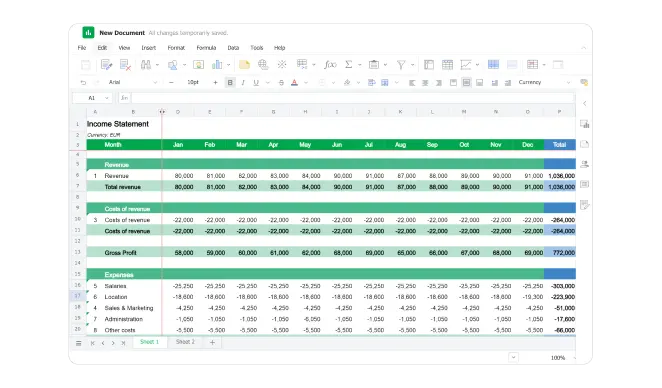
Leverage intuitive cell-based system and grid layout of our online spreadsheet to streamline your data management
Easily enter text, numbers, or formulas with an intuitive spreadsheet interface
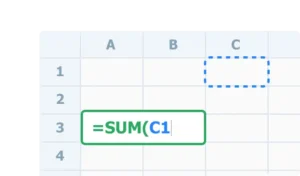
Organize spreadsheet data clearly using rows and columns for easy viewing and management

Easily manage spreadsheet data with a structured grid for quick editing, sorting, and analysis
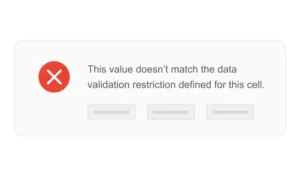
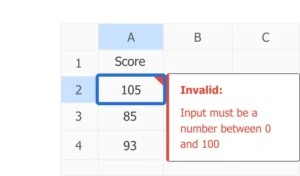
Ensure accurate spreadsheet data entry with validation tools like input restrictions, dropdown lists, and real-time error checking
Use formulas and built-in functions to perform complex spreadsheet calculations with ease
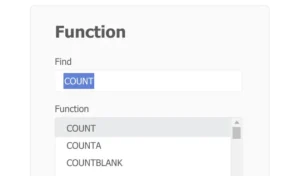
Easily perform addition, subtraction, multiplication, and division using a user-friendly spreadsheet UI
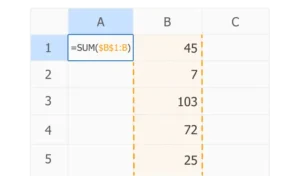
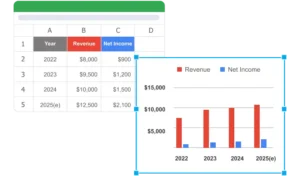
Uncover trends and patterns, making data analysis more intuitive and actionable
Ensure data accuracy by restricting spreadsheet entries to specific formats and preventing invalid inputs
Ensure accurate data by restricting cell entries to specific types or formats
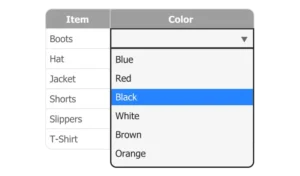
Use custom dropdown lists to guide users and ensure consistent spreadsheet data entry
Catch and correct data entry errors with built-in spreadsheet error checking for accurate results
Yes. Thinkfree Spreadsheet opens, edits, and saves .xlsx and .xls files
natively, preserving formulas, formatting, and pivot tables without
conversion loss.
Yes. Unlike cloud-only spreadsheet tools, Thinkfree Spreadsheet can be
installed on your own servers, keeping all data within your
infrastructure and meeting strict data residency requirements
(e.g., GDPR, financial/healthcare compliance).
Yes. Multiple users can edit the same spreadsheet simultaneously, with
changes synced in real time, even in a self-hosted environment without
internet-based cloud sync.
Thinkfree Spreadsheet supports standard Excel functions (SUM, VLOOKUP,
IF, pivot tables, conditional formatting) so existing Excel-based
workflows transfer without retraining.
Thinkfree Spreadsheet runs on your own infrastructure instead of a
third-party cloud, giving you full control over data location, access,
and compliance — while keeping the familiar Excel-compatible interface.