

Office Online Server reaches end of support on December 31, 2026, and Microsoft has not announced a separate on-premises successor. Thinkfree Document Editor SDK is a self-hosted, WOPI-compatible alternative to Office Online Server. It runs behind your existing SharePoint or ECM environment, without moving documents to the public cloud.
If your organization relies on Office Online Server for browser-based editing in SharePoint or an internal ECM, now is the time to evaluate an alternative. This article explains how Thinkfree Document Editor SDK works as that alternative.
Office Online Server reaches end of support on December 31, 2026. After this date, Microsoft no longer provides security updates, bug fixes, or technical support. This retirement directly affects browser viewing, browser editing, and document thumbnail generation in SharePoint Server, Exchange Server, and related products.
SharePoint Server 2019 continues on to SharePoint Server Subscription Edition, but that is a successor to SharePoint itself, not a replacement for Office Online Server. SharePoint continues to serve as the document repository and WOPI host, but the component that renders and edits documents in the browser retires without a successor.
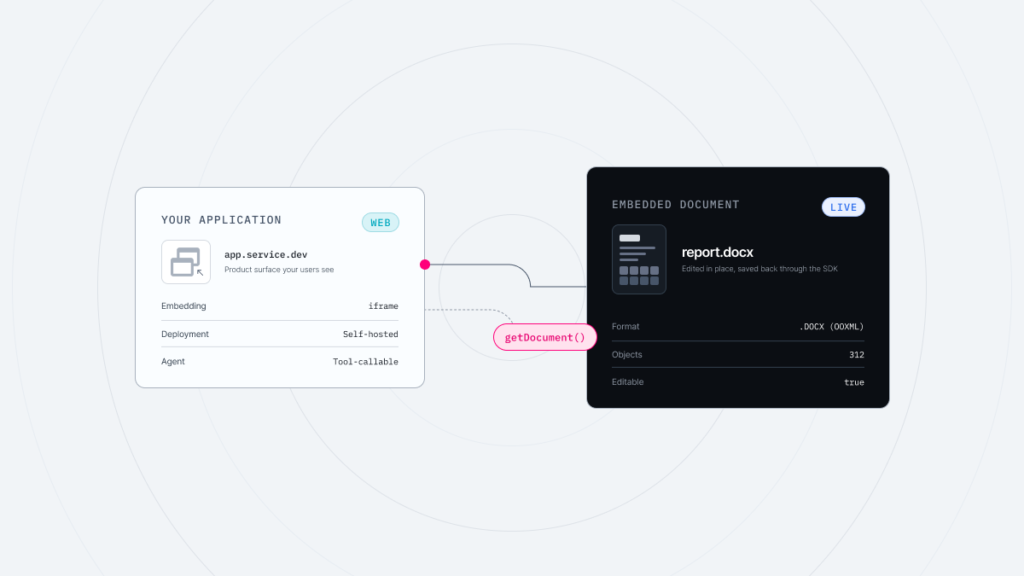
Thinkfree Document Editor SDK runs as a WOPI client behind your existing WOPI Host, whether that is SharePoint, an ECM, or a DMS. The host itself does not change.
Before touching SharePoint, prepare the Thinkfree Office server first. Deploy the hosting.war file to your web server, then verify that the /hosting/discovery endpoint is available. Next, check that the external-http zone supports view and edit actions for DOCX, XLSX, and PPTX. You can then configure the SharePoint WOPI binding.
Run the following commands, in order, from the SharePoint Management Shell.
					Remove-SPWOPIBinding -All:$true
New-SPWOPIBinding
Set-SPWOPIZone -zone external-http
Get-SPWOPIBinding
Remove-SPWOPIBinding -All:$true removes the existing Office Online Server binding. New-SPWOPIBinding creates a new binding pointing to the Thinkfree Office server address. Set-SPWOPIZone sets the zone, and Get-SPWOPIBinding verifies that the binding has been configured correctly.
Allow bidirectional communication between SharePoint and the Thinkfree Office server over ports 80 and 443.
Thinkfree Document Editor SDK is tested against Microsoft’s WOPI Validator. This tool confirms that core WOPI operations, including CheckFileInfo, GetFile, PutFile, and Lock/Unlock, conform to the WOPI specification. It is the reference tool used to validate WOPI hosts in environments with strict security requirements, such as FedRAMP.
Thinkfree Document Editor SDK natively edits and saves Microsoft Office and OpenDocument formats without a conversion step. It is built on more than 25 years of proprietary office engine development, delivering a high level of format fidelity. Microsoft Office formats include DOCX, XLSX, and PPTX. OpenDocument (ODF) formats include ODT, ODS, and ODP.
Legacy binary formats, DOC, XLS, and PPT, are viewed natively. When editing is needed, they are converted to OOXML format for editing, or exported back to the original format after editing. PDF, CSV, TSV, RTF, MD, JSON, and similar formats are supported through a high-fidelity web rendering viewer.
Category | Supported Formats | Processing Method |
|---|---|---|
Native editing and saving | DOCX, XLSX, PPTX, ODT, ODS, ODP, TXT | Edited and saved in the same format
with no conversion step |
Viewing and conversion-based editing | DOC, XLS, PPT | Viewed natively; converted to OOXML for editing, or exported back to the original format after editing |
Import and viewer support | PDF, CSV, TSV, RTF, MD, JSON, and more | Supported through a high-resolution web rendering viewer |
Thinkfree Document Editor SDK can be deployed on-premises, in a private cloud (BYOC), or in an air-gapped environment. In air-gapped environments, container images can be brought into the internal network and connect directly to internal object storage or file systems, without external communication.
Beyond SharePoint, Thinkfree Document Editor SDK connects to other document stores, such as Nextcloud, cloud storage, or custom systems, through its own integration layer using APIs, connectors, and custom adapters.
Thinkfree Document Editor SDK is deployed as Docker containers. Unlike Office Online Server, which is tied exclusively to Windows Server, Thinkfree Document Editor SDK has no Windows Server dependency.
Thinkfree Document Editor SDK runs in Chrome, Edge, Safari, and Firefox. It is built on HTML5 and CSS3 web standards, so no plugin or client-side installation is required. It can also be accessed the same way on any device with a supported browser, including mobile and tablet.
Thinkfree Document Editor offers white-label options for customizing logos, UI, and branding. The Doc2PDF add-on converts documents to PDF through an API, with no separate PDF software to install, and runs on the same server as Thinkfree Office, so it does not add to infrastructure costs.
Category | Office Online Server | Thinkfree Document Editor SDK |
|---|---|---|
Deployment | Windows Server only | On-premises, private cloud, air-gapped |
Container support | Not supported | Docker, Kubernetes |
DOCX/XLSX/PPTX | Native | Supported |
Support status (as of 2027) | Ended | Active |
No. You only need to update the WOPI Discovery URL.
Yes. Container images can be brought into your internal network for deployment.
No. The binding uses standard SharePoint WOPI cmdlets, and no custom code is required on the SharePoint side.
Yes. Thinkfree Document Editor SDK connects to cloud storage or custom systems through its own integration layer. Our technical team can help configure the integration based on your environment.
Office Online Server is retiring, but the need for browser-based document editing inside your own infrastructure is not.
Thinkfree Office meets that need as a self-hosted, WOPI-compatible office suite, with native format fidelity and deployment options that fit SharePoint, ECM, and air-gapped environments alike. It replaces what Office Online Server did, without asking you to change how SharePoint already works. Thinkfree Office is ready today.
See how it works in your environment.
Discuss your requirements with our team.
Like this post? Share with others!