On October 6, 2026, Anthropic released Claude for Google Workspace in public beta. Users on all paid Claude plans can now edit documents through Claude in the sidebar of Google Docs, Sheets, and Slides. Anthropic also released connectors for these apps, allowing users to create Google files directly from a Claude chat.
Following its release for Microsoft 365, Claude can now edit files directly in both major office suites. This raises a product decision for SaaS providers whose workflows center on documents. Should customers finalize AI-generated content in external office apps, or should the product let them edit documents in place? The same question applies to the product’s own AI. If the AI needs to revise documents directly, the product needs an editing environment where it can access document content, apply changes, and present them for review.
This post examines how AI document editing is changing product strategy and what product teams should assess before offering it.
Claude for Google Workspace is an add-on for Google Docs, Sheets, and Slides. It can edit the open file or specific sections selected by the user. Typical uses include:
Users can choose between two editing modes.
Users can work with Claude alongside their documents without switching browser tabs. Connectors also let them connect Claude to tools such as Salesforce and Google Drive, and create or edit files directly from a Claude chat. Together, the add-on and connectors let AI work inside the files users actually work on instead of stopping at a chat response.
Until recently, using AI-generated content in work documents meant copying it from a chat, pasting it into an office app, and fixing the formatting.
Copy and paste, however, is only the visible inconvenience. The deeper issue is that turning AI output into a finished work product happens across tools outside the product where the work began. Who reviews and approves an AI-written draft, and where? Do customers have to edit a file in an external app and upload it again? Are the changes still connected to existing data, permissions, and version history? Can documents be exchanged in the office formats customers use? All of these questions belong to that process. (Read More)
Recent efforts to integrate AI into the documents users work on can be seen as attempts to redesign this process. This change shows up both in general-purpose AI products and in vertical SaaS that builds AI into specific workflows.
The two types of products start from different positions. General-purpose AI is entering the office environments users already work in. Vertical SaaS must decide how its own AI can edit documents within the product, next to the business data and workflows already there.
General-purpose AI providers can add AI features to office suites that customers already use. The office suite provides the document environment in which the AI can access and edit a file in place, with the result available for user review. Users also keep working in familiar tools.
Anthropic is not alone in taking this approach. In September, OpenAI released ChatGPT for Word, supporting Word, Excel, and PowerPoint through a single Microsoft add-in.
Another approach is to build the document editing environment as a product.
Genspark’s GenOffice, released in August, is one example of this approach. It builds AI editing into an office suite of its own, so documents are opened and saved inside Genspark’s product.
Vertical SaaS providers face a different challenge from general-purpose AI companies. Beyond connecting an AI model, they need to support specialized workflows and account for industry-specific data and requirements. For services where documents are the primary work product, editing them without losing that context can be an important part of the product experience.
Add-ins are one way to bring specialized AI into document workflows. Examples include Harvey for legal work, GovDash for government contracting, and Certara CoAuthor for clinical documentation.
As Anthropic and OpenAI bring AI into the same office suites, vertical SaaS providers need to consider where their own AI edits documents. Through an add-in, the product’s AI operates within an office suite the provider does not control, alongside the general-purpose AI tools available there. Within the product itself, the AI can be designed to work alongside the business data and workflows the product already holds.
For vertical SaaS, differentiation may depend on more than generating a draft. It can also come from how the AI revises documents in context. Users should be able to review those edits without losing links to business data and workflows.
The recent appearance of in-app document editing in legaltech and contract management products may reflect this need. In a 2021 American Bar Association (ABA) survey, 98% of responding lawyers named Microsoft Word as a word processor they use. For legaltech products, enabling users to review and finalize documents within the service while preserving compatibility with Word may make AI-assisted work more cohesive.
The same considerations apply beyond legal work. Clinical study reports and protocols, financial models and investment decks, and employment contracts also need to be delivered in familiar office formats. SaaS providers building document-centered products need to decide where users review and finalize documents and how AI editing fits into that process.
Add-ins let users access AI features in familiar apps such as Word and Google Docs without requiring SaaS providers to build a separate editor. However, when document editing and review are central to a product’s workflow, asking users to edit files in an external app and upload them again can add friction. Product teams can use the following questions to judge which approach fits their workflow.
If several answers are yes, in-app editing may be worth considering. Product teams then need to make three main decisions.
Item | Main options | What to evaluate |
|---|---|---|
Document formats | Proprietary format / Major formats including OOXML (DOCX, XLSX, PPTX) and ODF (ODT, ODS, ODP) | Formats customers exchange, frequency of file exchange outside the service, document elements that must be preserved |
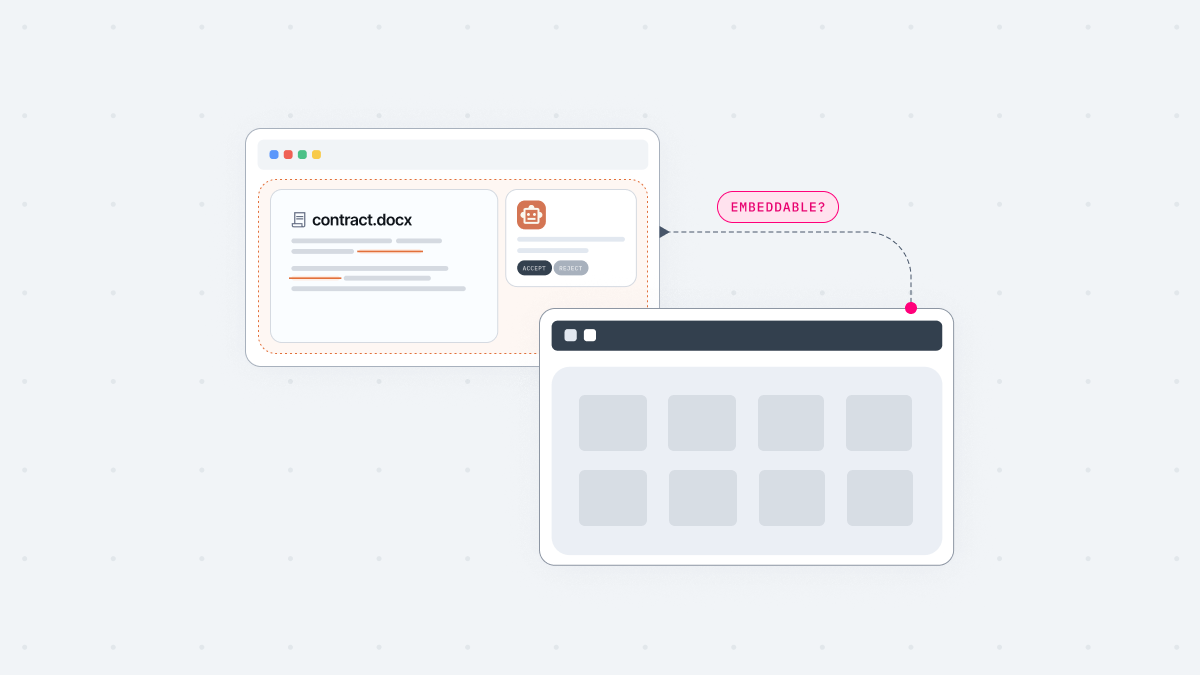
Editor implementation | Build in-house / Embed an existing document-editing solution | How your AI accesses and edits documents, range and complexity of business documents, where documents are processed, who maintains the editing solution |
AI edit approval | Per change / Per task / User choice | Risk by edit type, how failures and conflicts are handled |
Choosing an editing environment involves more than checking whether files can be opened and saved. Teams also need to verify that formatting and tracked changes are preserved when documents are exchanged in customers’ preferred formats.
Juro, a contract management SaaS with a browser-native editor, compares and displays changes when users re-import a file edited in Word. Its help center notes that formatting-only changes, header and footer changes, and table style changes do not appear as suggestions. For products with their own editing environment, teams need to define which changes will be preserved when documents move between that environment and Word.
The requirements are stricter in workflows such as contract review, where the other party needs to accept or reject changes in Word. Displaying changes on screen is not enough, because they must appear as tracked changes when the other party opens the file. This is why GC AI insists that redlines must be actual Word tracked changes rather than a visual imitation.
Choosing whether to build an editor in-house or embed an existing document-editing solution involves more than development cost. It also affects responsibility for format compatibility, document processing location, and the degree to which the editing interface and workflow can be customized.
Building an editor gives teams control over the editing interface, workflows, and data flow. It also makes them responsible for supporting office files, from parsing and editing to saving and compatibility testing. Combining open-source components can shorten initial development time, but the editor still needs to be tested against a wide range of real-world documents.
Teams that adopt an existing editing product do not have to build rendering and format handling themselves. How much control they keep, however, depends on the product. Selection criteria include supported formats and UI customization, collaboration features such as co-editing, and deployment options such as self-hosting.
For a product’s AI to edit documents directly, the editor must expose paragraphs, ranges, cells, and slides as addressable objects. It also needs editing operations that the AI can call as tools. The resulting changes should appear in the same document users are viewing, so they can review and correct them in place. Some solutions provide APIs for reading and editing documents, while others also support AI-driven editing and review workflows.
Security and deployment requirements also shape the decision. Some teams can process documents through an approved external service, while others need document processing and editing to remain within their own infrastructure. By comparison, a custom-built editor can be designed around these constraints from the outset.
Teams embedding an external solution should check whether it supports self-hosting, where documents are processed and stored, and how it integrates with their existing permission model.
When a product’s own AI edits documents within the service, teams also need to decide how users will review and accept those edits. There are two broad approaches.
Claude for Google Workspace offers another example. The default mode (Ask before edits) requires approval before changes are applied. Users can also select Accept all edits to apply changes without approving each one individually. SaaS product teams can use this approach as a reference when deciding how much control users should have over AI editing, taking task risk and the consequences of errors into account.
In production, teams also need to handle partial editing failures and conflicts between AI suggestions and simultaneous user edits. Document content should be treated as untrusted input so that text in an uploaded file is not interpreted as instructions to the AI. These risks affect how changes are applied and rolled back, as well as review procedures and document security.
Claude’s arrival in Google Workspace shows AI editing moving into the office apps people already use. For vertical SaaS providers whose products center on documents, the decision is where their own AI should edit documents. It can work through add-ins inside the office apps customers already use, or inside an editing environment within the product itself.
If you decide to offer document editing in your product, work through the three decisions in order. Document formats, editor implementation, and AI edit approval together define the technology and implementation scope you need.
For product teams building an editing environment for their own AI, Thinkfree Document Editor SDK is one option to consider. It embeds Word, Spreadsheet, and Presentation editors in web applications and exposes the open document through object-level APIs. Your own LLM or AI agent can call these APIs as tools, while users review and refine the same open document in the embedded editor.
See how Document Editor SDK addresses the three areas discussed above.
Compare features and AI integration.
Try the SDK in your browser.
Like this post? Share with others!